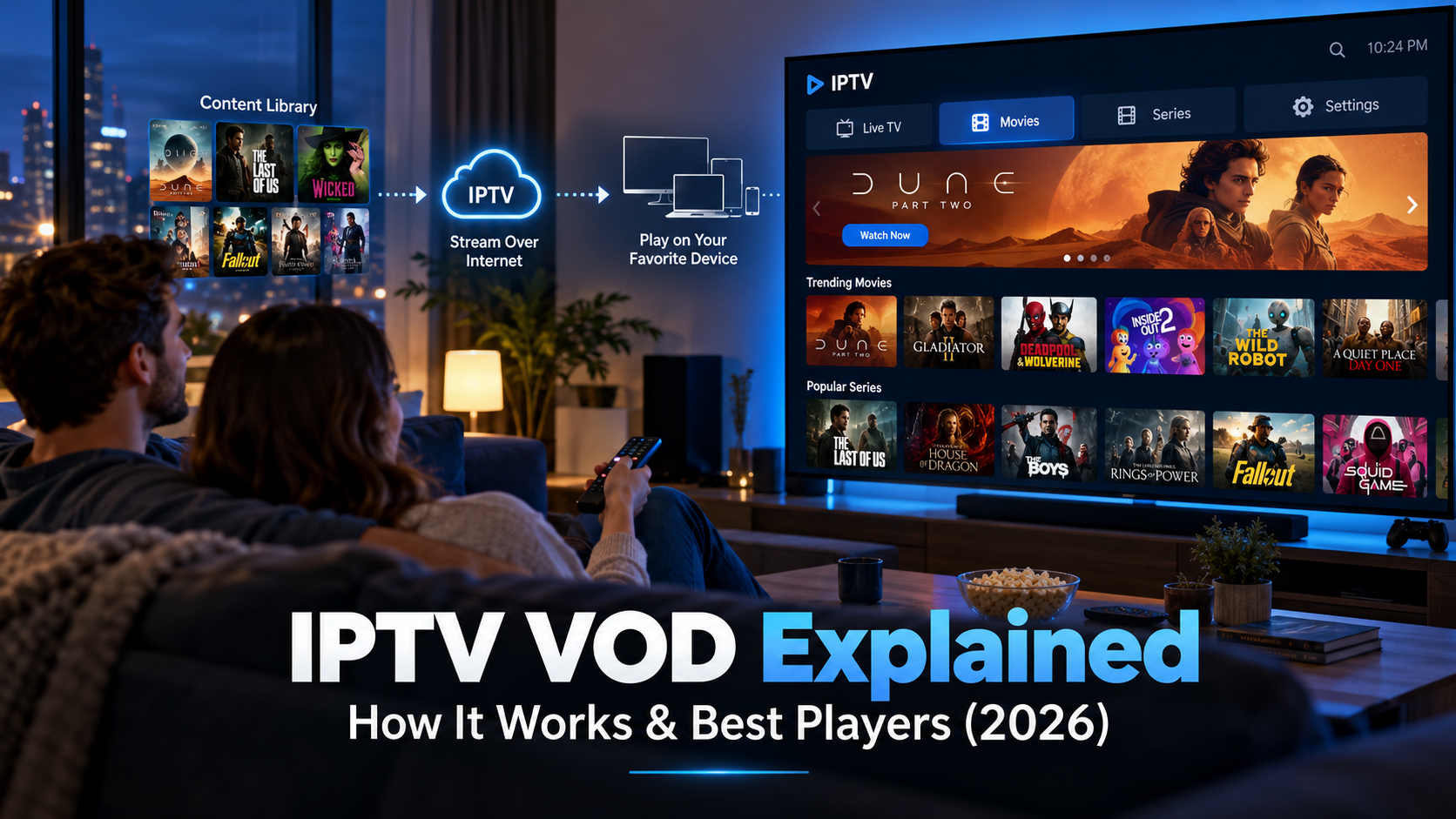
VOD (Video on Demand) in IPTV lets you watch movies, TV series, and other videos anytime from a stored content library. Unlike live IPTV channels, VOD allows you to choose, play, pause, and rewind content without following a fixed TV schedule.
An IPTV subscription with VOD may offer both live television and an on-demand movie library in a single app. However, content availability depends on the provider, subscription, and supported IPTV player.
This guide explains how IPTV VOD works, its differences from live IPTV, compatible players, setup instructions, and common playback problems.
What is VOD in IPTV?
VOD in Internet Protocol Television means video-on-demand. It’s a feature that stores movies, binge-worthy TV shows, documentaries, and anime. You can get access to all these pre-recorded videos via an IP network.
With VOD IPTV, you don’t need to sit and wait for the scheduled program. You can select titles from a digital library and watch them instantly.
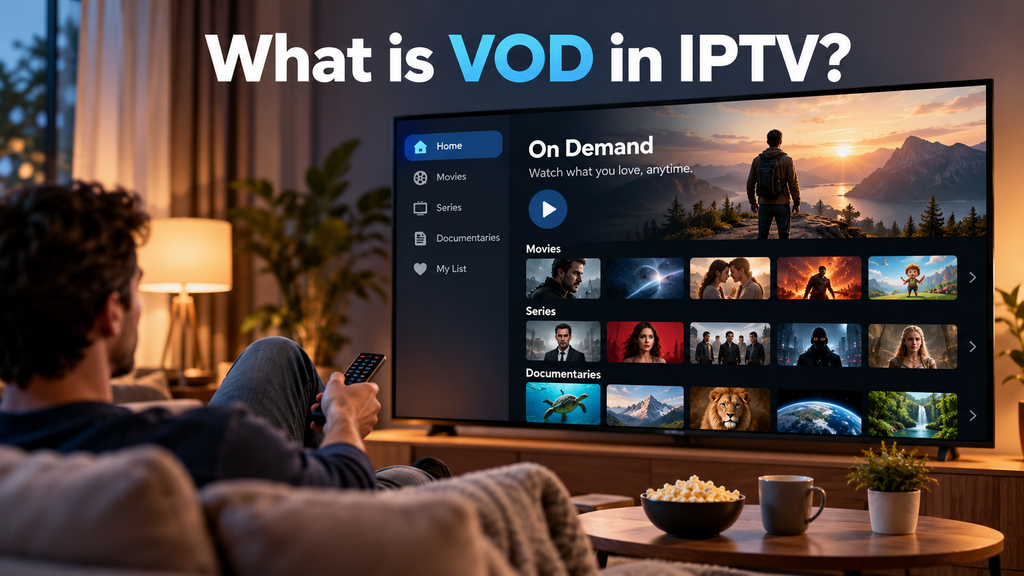
An IPTV VOD platform generally contains —
- Movies: Films organized by genre or release date.
- TV Series: Episodes arranged by seasons.
- Documentaries: Educational and factual programming.
- Kids’ Content: Family entertainment and animated shows.
- Anime: Different types of anime from Japan, South Korea, China, France, etc.
- Recorded Programs: Previously aired content offered for on-demand viewing.
How does IPTV VOD Work?
IPTV VOD works in four layers: content library, VOD middleware, delivery network, and player app.
- Content library: movies and series are encoded and stored on servers, along with posters, descriptions, and subtitles.
- Middleware: the management layer that handles user accounts, catalog data, and playback requests.
- Delivery network: servers and a CDN (content delivery network) stream each viewer’s selection over the internet.
- Player app: the software on your TV, Firestick, or phone that displays the catalog and streams content.
Modern platforms may use HTTP Live Streaming (HLS), MPEG-DASH, and content delivery networks (CDNs) for efficient playback.
Amazon Web Services explains this architecture in its video-on-demand streaming documentation.
IPTV vs VOD: What’s the Difference?
| Feature | IPTV | VOD |
| Definition | Television delivered over IP networks | Video available on demand |
| Content Type | Live TV, sports, news, catch-up TV, and VOD | Movies, TV series, and documentaries |
| Viewing Schedule | Live channels follow broadcast schedules | Watch anytime |
| Playback Controls | Depend on the service and content | Pause, rewind, fast-forward, and resume |
| Live TV Required? | No | No |
| Best For | Live television and combined streaming services | On-demand entertainment |
IPTV VOD vs OTT Streaming
OTT services such as Netflix, Disney+, and Prime Video also offer VOD, but typically deliver it over the public internet through their own apps.
Traditional managed IPTV services operate over provider-controlled networks. However, many consumer products marketed as IPTV also use ordinary internet connections.
Key distinction: IPTV describes a delivery model, OTT describes internet-based content distribution, and VOD describes on-demand viewing.
What Is IPTV With VOD?
IPTV with VOD combines live television channels with an on-demand library of movies and series within a single streaming service. Users can switch between live broadcasts and prerecorded entertainment.
Common features include:
- Live TV and movie categories
- TV series with episode lists
- Search and favorites
- HD or 4K playback, where available
- Subtitles and multiple audio tracks
- Watch history or resume playback
Some services also offer catch-up TV, which allows viewers to replay previously broadcast programs. Catch-up TV is related to VOD but may have separate availability and expiration rules.
Best IPTV Players for Movies and Series
The best IPTV player for movies and series depends on your device, subscription format, and preferred interface.
| IPTV Player | Main Strength | VOD Support |
| TiviMate | Simple movie and series navigation | Supported versions |
| IPTV Smarters Pro | TV-focused playlist management | Version-dependent |
| Kodi | Customizable media center | Compatible add-ons |
| XCIPTV | Provider-oriented VOD interface | Supported versions |
| VLC Media Player | Direct media playback | Supported stream URLs |
How to Add VOD to an IPTV Player
To add VOD to an IPTV player, connect an IPTV account or playlist that includes movies and TV series. The player then loads the available library from the provider.
Follow these steps:
- Install a compatible IPTV player.
- Open Add Playlist or Login.
- Select M3U URL or Xtream Codes-compatible login.
- Enter the server URL, username, and password supplied by your provider.
- Save the account and refresh the content.
- Open Movies or Series.
- Select a title to begin watching.
Not every M3U playlist includes VOD. Some providers supply live channels only.
If movies are missing, confirm that your subscription includes an on-demand library.
How to Watch IPTV VOD on Firestick
IPTV VOD on Firestick works through a compatible streaming app connected to an authorized on-demand service.
To get started:
- Connect your Amazon Fire TV Stick to your television and internet.
- Open the Amazon Appstore.
- Install a compatible IPTV application.
- Sign in using your provider’s credentials.
- Open the Movies or Series section.
- Select a title and start streaming.
Application availability depends on the Fire TV model and operating system.
Android-based Fire OS devices may support installing compatible APKs, while Vega OS devices do not run conventional Android IPTV APKs.
IPTV Movies and Series Not Loading
If Live TV works but movies and series do not, check whether your provider’s VOD service is operational.
Refresh the playlist, verify account permissions, and try another title.
If the entire movie library remains unavailable, contact your provider before reinstalling the app.
How to Fix IPTV VOD Buffering
For smoother playback:
- Use stable Wi-Fi or Ethernet.
- Restart the IPTV app and router.
- Reduce video resolution if needed.
- Close unnecessary downloads.
- Update the media player.
- Check for provider-side outages.
For many HD streams, 15–20 Mbps of stable available bandwidth is a practical starting point. 4K playback may require 25-30 Mbps or more, depending on compression and bitrate.
IPTV VOD Not Working? 7 Common Problems and Fixes
If your IPTV VOD library is missing, the issue may involve subscription permissions, incorrect credentials, playlist configuration, or provider-server problems.
| Problem | Possible Cause | Recommended Fix |
| VOD section missing | Live-TV-only subscription | Confirm VOD access |
| Movies not appearing | Library failed to sync | Refresh the playlist |
| Series not loading | Provider API or catalog issue | Check service status |
| Login failed | Incorrect credentials | Verify server URL and login |
| Video won’t play | Unsupported format or stream issue | Update or change compatible player |
| IPTV VOD buffering | Unstable connection or server load | Test bandwidth and reduce quality |
| App crashes | Cache or software problem | Clear cache and update app |
IPTV VOD Middleware and Platforms
IPTV middleware is the software layer that connects the viewer’s device to the system’s servers and content. The patent literature describes middleware as including portal servers, storage, and the infrastructure that delivers video streams to users.
An IPTV VOD platform bundles middleware, a content management system, billing, and apps into one product. Operators such as ISPs, hotels, and niche broadcasters either build one or license a white-label platform. When you compare platforms, check these:
- Content management and metadata tools
- Support for Xtream-style APIs and M3U
- DRM and rights management
- Apps for Android TV, Fire TV, iOS, and smart TVs
- Billing, analytics, and support
How Does Adaptive Bitrate Streaming Work?
Adaptive Bitrate Streaming (ABR) automatically adjusts video quality based on your internet speed. It helps reduce buffering and keeps live IPTV and VOD streaming smooth when your connection changes.
Here’s how it works:
- Multiple Video Qualities: The video is available in various resolutions, including 480p, 720p, and 1080p.
- Automatic Adjustment: The IPTV player selects the best quality based on your internet connection and device.
- Buffering Prevention: If your internet connection slows down, the player switches to a lower-quality video stream to maintain playback.
- Better Picture Quality: When your connection improves, the player automatically switches back to higher-quality video.
s Live IPTV Better Than VOD?
IPTV is better for live TV, sports, and news, while VOD (Video on Demand) is ideal for streaming movies and TV shows on demand. Both offer different viewing experiences.
- Live IPTV: Best for live sports, news, TV channels, and scheduled programs.
- VOD: Best for on-demand movies, TV series, and documentaries.
- IPTV with VOD: Best for viewers who want live television and on-demand entertainment in one subscription.
Note: Neither IPTV nor VOD is universally better. Choose live IPTV for scheduled broadcasts, VOD for flexible viewing, or an IPTV subscription with VOD for both.
IPTV vs VOD: What’s the Technical Difference?
The main technical difference between IPTV and VOD is how video content is delivered and accessed. IPTV delivers television over IP networks, while VOD (Video on Demand) streams stored movies and TV shows on demand.
Live IPTV Streaming
Live IPTV streams television channels continuously over an IP network. Viewers watch scheduled programs, such as sports, news, and live TV broadcasts, in real time or with a short delay.
Depending on the network, live IPTV uses multicast or unicast technology to deliver video streams.
VOD Streaming
VOD streaming delivers prerecorded videos directly from a server when users select them. Unlike live IPTV, viewers can start, pause, rewind, or resume movies and TV series at any time.
VOD platforms commonly use streaming protocols such as HLS and MPEG-DASH for efficient video delivery.
Key Takeaway: IPTV refers to video delivery technology, while VOD refers to on-demand access to stored content. Both can work together within the same IPTV service.
How Do IPTV and VOD Work Together?
IPTV and VOD work together to offer live TV channels, movies, TV series, and catch-up programs in a single streaming app. This allows viewers to watch scheduled broadcasts or choose on-demand content at any time.
A typical IPTV service may include:
- Live TV: Watch scheduled channels, sports, news, and live events.
- VOD (Video on Demand): Stream movies and TV shows whenever you want.
- Catch-Up TV: Replay selected programs after they air.
- TV Series: Browse episodes organized by seasons.
VOD vs Live TV vs Catch-Up TV
Live TV airs on a broadcast schedule, VOD lets you start any title from a stored library, and catch-up TV lets you replay a program that has already aired. In IPTV, all three often sit in the same app.
| Feature | Live TV | VOD | Catch-up TV |
| What it is | Channels airing in real time | Stored movies and series | Recently aired programs |
| When you watch | At broadcast time | Anytime | Within a set window after airing |
| Content source | Broadcaster’s live feed | Provider’s on-demand library | Recorded broadcast archive |
| Viewer control | Limited | Full (pause, rewind, resume) | Full during playback |
| Best for | Sports, news, events | Movies and binge-watching | Missed episodes |
| Typical limit | Fixed schedule | Library size | Retention period (often days) |
Final Words — IPTV Vs VOD: What’s the Difference and Which Is Better?
Understanding the difference between IPTV and VOD helps you choose the right streaming experience. IPTV delivers television over IP networks, including live channels, sports, and scheduled programs, while VOD (Video on Demand) allows you to watch movies, TV series, and other content whenever you want.
Ultimately, neither IPTV nor VOD is better for everyone. If you enjoy live sports, news, and traditional TV channels, live IPTV is a suitable choice. However, if you prefer watching movies and shows at your convenience, VOD offers greater flexibility.
For viewers who want the best of both, an IPTV service with VOD combines live television and on-demand entertainment in one platform. Before subscribing, compare content availability, streaming quality, device compatibility, and licensing to find a service that meets your viewing needs.
FAQs on IPTV vs VOD: The Complete Guide to the Difference (2026)
Does IPTV have VOD?
Yes, many IPTV services include VOD (Video on Demand), allowing users to watch movies, TV series, and documentaries anytime alongside live TV channels. However, VOD availability depends on the IPTV provider and subscription plan.
What does VOD mean on IPTV?
VOD (Video on Demand) on IPTV lets you stream movies, TV series, and other prerecorded content anytime without following a fixed broadcast schedule. You can play, pause, rewind, or resume videos whenever you want.
Do I have to pay for VOD?
Not always. Some VOD services are free with ads, while others require a paid subscription or one-time rental fee. Many IPTV providers include VOD movies and TV series in their subscription plans at no extra cost.
Which IPTV has the most VOD?
Mom IPTV has 18,000+ live TV channels and 121,000+ Movies & TV series in its VOD library.
How to add VOD to IPTV player?
To add VOD to an IPTV player, open the app, select Add Playlist, and enter your IPTV provider’s M3U URL or Xtream Codes login details. Once the playlist loads, go to the Movies or Series section to access VOD content. Your IPTV subscription must include VOD access.
What is IPTV VOD?
IPTV VOD (Video on Demand) is a feature that lets users watch movies, TV series, and other prerecorded videos through an IPTV service anytime. Unlike live TV channels, IPTV VOD allows viewers to choose, play, pause, rewind, and resume content without following a broadcast schedule.
What is the difference between IPTV and VOD?
IPTV (Internet Protocol Television) delivers television content over IP networks, including live TV channels and on-demand programs. VOD (Video on Demand) lets viewers watch movies, TV series, and prerecorded videos anytime without following a broadcast schedule. Many IPTV services offer both live TV and VOD.
Is VOD free with IPTV?
VOD is included at no extra cost with some IPTV subscriptions, allowing users to watch movies and TV series on demand. However, other IPTV providers may charge additional fees for VOD access, depending on the subscription plan.
Can I get VOD without IPTV?
Yes, VOD is available without IPTV. Platforms like Netflix, Disney+, and Amazon Prime Video offer on-demand movies and TV shows through separate streaming apps.
Is Netflix IPTV or VOD?
Netflix is a VOD (Video on Demand) streaming service, not a traditional IPTV service. It delivers movies, TV shows, and documentaries over the internet. It allows users to watch content anytime without a fixed broadcast schedule.
Which one is better — IPTV or VOD?
IPTV is best for watching live TV and scheduled programs, while VOD is ideal for watching movies and TV shows anytime. If you want both, choose an IPTV service that includes VOD.