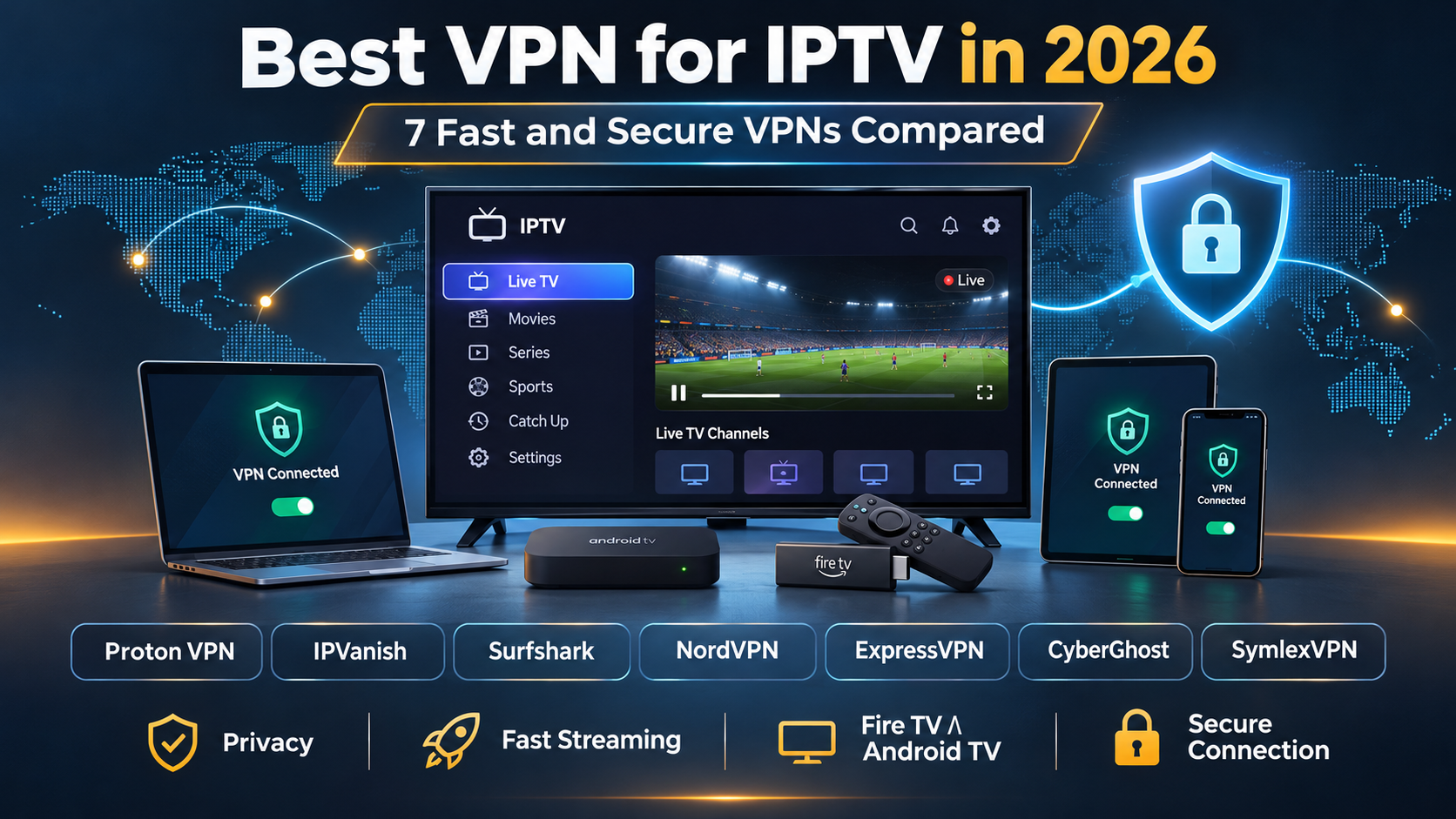
| The best VPN for IPTV include Proton VPN for privacy and security, IPVanish for Firestick and Android TV, and Surfshark for affordable streaming on multiple devices. NordVPN is another strong choice for fast, secure connections. |
Key Takeaways: 7 Best VPNs for IPTV in 2026
- Proton VPN — Best for private and secure IPTV streaming. Offers strong encryption, a no-logs policy, and support for up to 10 devices on paid plans.
- IPVanish — Best VPN for IPTV on Firestick and Android TV. Offers WireGuard support, dedicated streaming device apps, and unlimited simultaneous connections.
- Surfshark — Best for families and multiple IPTV devices. Supports unlimited simultaneous connections, WireGuard, and popular Smart TV platforms.
- NordVPN — Best for fast VPN protocols and advanced security. Uses NordLynx for efficient streaming and supports up to 10 devices at once.
- ExpressVPN — Best for easy IPTV VPN setup. Offers the Lightway protocol, simple apps, and 10 to 14 simultaneous connections, depending on the plan.
- CyberGhost — Best for beginners. Provides streaming-optimized servers, easy-to-use apps, and support for up to seven devices.
- SymlexVPN — An alternative VPN for IPTV streaming. Supports Android TV, Firestick, and multiple devices, with a trial option for testing compatibility.
Facts & Expert Analysis About IPTV and VPNs
- IPTV content has regional restrictions: Streaming services may block certain channels or shows based on licensing agreements and your location.
- VPNs can help bypass geo-blocks: A VPN changes your visible IP address, which may help access region-restricted content. However, some services block VPN connections.
- VPNs may reduce IPTV buffering: A VPN can help when your ISP slows streaming traffic, but it cannot fix slow internet or overloaded IPTV servers.
- Not all IPTV services are legal: Some providers stream copyrighted content without permission. A VPN does not make unauthorized streaming legal.
- VPN speed depends on server quality: Nearby servers, low congestion, and fast protocols like WireGuard generally provide better streaming performance.
- A VPN improves streaming privacy: It encrypts your connection and hides your public IP address from IPTV services, but it does not make you completely anonymous.
Using IPTV with a VPN adds an extra layer of privacy by encrypting your internet traffic and hiding your IP address. It may also improve streaming if your internet provider limits certain traffic. Plus, a VPN can help you access some region-restricted IPTV content, depending on the service’s rules.
Most IPTV services don’t include a built-in VPN, so you’ll need a separate VPN app or compatible router. Proton VPN, IPVanish, Surfshark, NordVPN, ExpressVPN, CyberGhost, and SymlexVPN are seven options worth considering for secure IPTV streaming.
In this guide, I’ll compare the 7 best VPNs for IPTV, explain their features, and show you how to choose and set up the right VPN for your device.
Best VPN for IPTV: Quick Comparison
| VPN | Best for | Simultaneous connections | Security features | Netflix | Amazon Prime Video | Fire TV support |
| Proton VPN | Privacy | 10 on paid Plus plan | AES-256, WireGuard, kill switch, audited no-logs | Yes (paid) | Yes (paid) | Yes |
| IPVanish | IPTV streaming devices | Unlimited, subject to policy | AES-256, WireGuard, kill switch, DNS protection | Yes | Varies | Yes |
| Surfshark | Large households | Unlimited, subject to policy | AES-256, WireGuard, kill switch, CleanWeb | Yes | Yes | Yes |
| NordVPN | Security and speed | 10 | AES-256, NordLynx, kill switch, Threat Protection | Yes | Yes | Yes |
| ExpressVPN | Simple setup | 10–14, depending on plan | AES-256, Lightway, kill switch, TrustedServer | Yes | Yes | Yes |
| CyberGhost | Beginners | 7 | AES-256, WireGuard, kill switch, DNS protection | Yes | Yes | Yes |
| SymlexVPN | Alternative TV VPN | Multiple; confirm plan limit | AES-256, kill switch, stated no-logs policy | Limited evidence | Inconsistent | Yes, on supported devices |
Device support and plan features may change. Check the provider’s website before subscribing.
1. Proton VPN: Best for Private and Secure IPTV Streaming
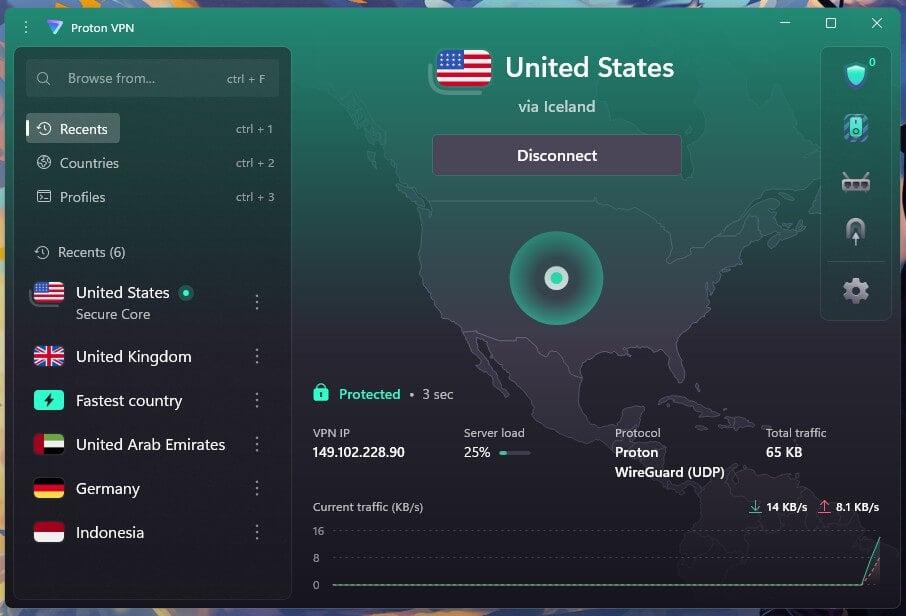
Apps: Windows, macOS, iOS, Android, Android TV, Fire TV, Apple TV, Linux
Devices: 10 on paid plans
Money-back guarantee: 30 days on eligible purchases
Proton VPN takes the first position in this comparison because of its strong privacy features, independent security audits, and fast WireGuard connections. It is a good choice for IPTV users who want to protect their internet traffic without giving up streaming performance.
The service is based in Switzerland and offers a verified no-logs policy, open-source applications, a kill switch, DNS leak protection, and Secure Core servers. Proton’s paid VPN plans also include NetShield, which helps block known malicious domains, advertisements, and trackers.
Speed and Streaming Performance
Proton VPN performed particularly well in independent 2026 speed tests. TechRadar recorded approximately 1,475 Mbps on a nearby WireGuard server and 1,548 Mbps over a long-distance connection in its April testing.
These results show that Proton VPN can handle high-speed connections. However, most IPTV users only need a fraction of those speeds to watch HD or 4K television.
For IPTV playback, use WireGuard and connect to a nearby server. Avoid Secure Core for everyday streaming because its additional routing can increase delay.
Proton VPN also supports popular subscription streaming platforms, including Netflix and Amazon Prime Video, through its paid plans. Its free plan does not include the same streaming support.
IPTV Device Compatibility and Security
Proton VPN provides apps for Android TV, Fire TV, Apple TV, Windows, and macOS. This makes it useful for people watching IPTV through different devices.
It also supports newer Fire TV devices running Vega OS, as well as compatible older Fire OS devices.
If you use IPTV Smarters Pro, install Proton VPN separately, connect to a VPN server, and then open your IPTV player.
| Pros | Cons |
| Strong privacy protections and independently audited no-logs policy. | Streaming support requires a paid subscription. |
| Excellent WireGuard speed results. | Advanced settings may feel complicated for beginners. |
| Streaming support for Netflix and Prime Video on paid plans. | |
| Free plan available for basic VPN use. |
BEST FOR PRIVACY: Proton VPN is an excellent choice for IPTV viewers who value privacy and security. Its paid plans combine fast connections, broad device support, and useful streaming features. A 30-day money-back guarantee applies to eligible purchases.
2. IPVanish – Best for IPTV on Firestick and Android TV
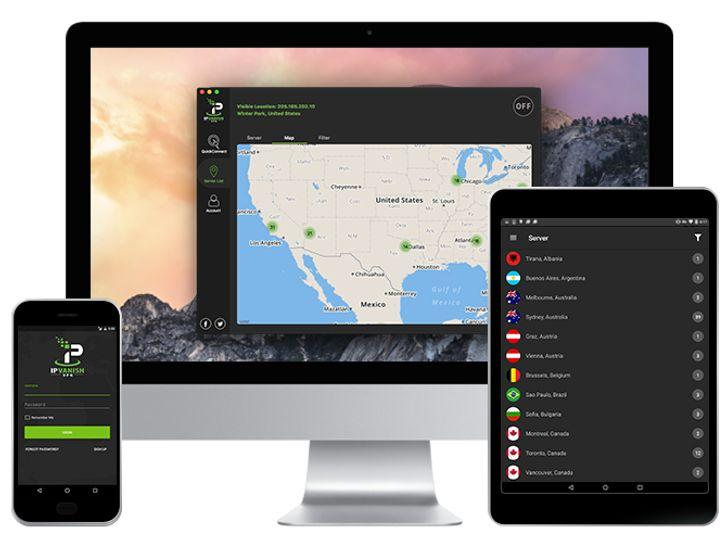
Apps: Windows, macOS, iOS, Android, Fire TV, Android TV, Apple TV, Linux
Devices: Unlimited simultaneous connections, subject to policy
Money-back guarantee: 30 days on eligible annual and two-year plans
IPVanish is a practical VPN for IPTV users who watch live television on Amazon Firestick, Android TV, or an IPTV box. Its native TV apps, unlimited device connections, and WireGuard support make it particularly useful for households with several streaming devices.
Unlike VPNs that limit users to five or ten connections, IPVanish allows unlimited simultaneous connections under its usage policy. You can protect your Firestick, phone, laptop, and other supported devices with one subscription.
Speed and Streaming Performance
IPVanish offers WireGuard, OpenVPN, and other supported VPN protocols. WireGuard is a good starting option for IPTV because it adds relatively little overhead to your internet connection.
IPTV Device Compatibility and Security
IPVanish offers a VPN app for compatible Fire TV and Android TV devices. You can install it, connect to a nearby server, and then open your IPTV player.
It works alongside IPTV Smarters Pro and other supported IPTV apps, provided your streaming service permits VPN connections.
Security features include encrypted VPN tunnels, DNS protection, and a kill switch on supported platforms. IPVanish has also undergone independent no-logs audits.
There are some security limitations worth knowing. RTINGS reported DNS leaks and kill switch weaknesses in its testing. These findings show why the platform and app version matter.
| Pros | Cons |
| Dedicated Fire TV and Android TV apps. | Slower laboratory speeds than some leading competitors. |
| Unlimited simultaneous connections. | Streaming services may require changing servers. |
| WireGuard support for efficient streaming. | |
| Can access several major streaming platforms. |
BEST FOR FIRESTICK: IPVanish is a good choice for IPTV users who want simple TV apps and unlimited device connections. Its speed is sufficient for many streaming needs, but privacy-focused users should review the independent security findings before subscribing.
3. Surfshark – Best for Affordable IPTV Streaming on Multiple Devices
Apps: Windows, macOS, iOS, Android, Android TV, Fire TV, Apple TV, Linux
Devices: Unlimited, subject to fair-use rules
Money-back guarantee: 30 days on eligible purchases
Surfshark is one of the best-value VPN options for IPTV users who need to protect several devices. Its main advantage is unlimited simultaneous connections, making it especially useful for larger households.
The service combines fast WireGuard connections with encryption, a kill switch, CleanWeb protection, and apps for popular streaming devices.
Speed and Streaming Performance
Surfshark has delivered strong results in independent speed tests.
TechRadar’s April 2026 speed comparison recorded 1,021 Mbps on a nearby WireGuard server and 935 Mbps over a long-distance connection. A later review update reported even higher laboratory speeds, showing that performance can change between test rounds.
For IPTV, those numbers suggest that VPN throughput is unlikely to be the main problem on a typical home connection. However, latency, congestion, and IPTV server quality still matter.
Surfshark also supports streaming platforms such as Netflix and Amazon Prime Video.
IPTV Device Compatibility and Security
Surfshark supports Firestick, Android TV, Apple TV, and compatible routers. This makes it practical for homes where different family members use different devices.
WireGuard is a sensible first choice for IPTV because it is efficient. Surfshark’s CleanWeb feature can also block known malicious websites and trackers, although it is not a replacement for antivirus software.
Surfshark has undergone independent reviews of its no-logs practices and server infrastructure.
One important benefit is the unlimited device policy. A single subscription can cover multiple TVs and phones without a fixed concurrent-device allowance after the trial period. Surfshark currently limits its seven-day trial to three devices.
| Pros | Cons |
| Unlimited simultaneous connections. | Some advanced options depend on the device. |
| Strong WireGuard performance. | Distant servers may increase latency and buffering. |
| Apps for major IPTV streaming devices. | |
| CleanWeb and other privacy features. |
BEST FOR MULTIPLE DEVICES: Surfshark is a strong option for households that use several IPTV devices. It provides a useful mix of speed, security, and affordability without a fixed connection limit on standard paid subscriptions.
4. NordVPN – Best for Fast IPTV Connections and Advanced Security
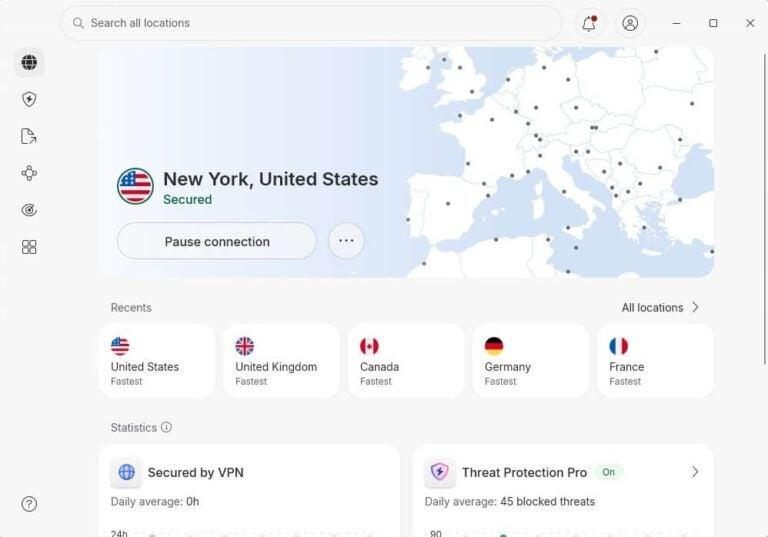
Apps: Windows, macOS, iOS, Android, Android TV, Fire TV, Apple TV, Linux
Devices: 10 simultaneous connections
Money-back guarantee: 30 days for eligible new subscriptions
NordVPN is a strong all-around IPTV VPN because of its fast NordLynx protocol, extensive server network, and advanced security features.
It is suitable for people who watch live sports, movies, and TV shows on Firestick, Android TV, Apple TV, and computers.
NordVPN supports ten simultaneous connections and provides VPN router options for compatible devices that cannot install its app directly.
Speed and Streaming Performance
NordVPN uses NordLynx, a protocol based on WireGuard. It is designed to balance strong encryption with fast connections.
An independent study from All About Cookies found NordVPN caused an average download speed reduction of just 1.6% across eight test rounds.
These results make NordVPN a strong candidate for IPTV streaming, although they do not prove that it will eliminate buffering.
It also supports major streaming platforms such as Netflix and Amazon Prime Video, subject to account, country, and service restrictions.
IPTV Device Compatibility and Security
NordVPN offers native applications for popular streaming devices and supports compatible routers.
Its core security tools include a kill switch, encryption, DNS leak protection, and audited no-logs practices.
Higher subscription tiers offer additional protection against malware and phishing, although these features vary by operating system and plan.
For IPTV users, the recommended starting setup is simple: select NordLynx, connect to a nearby server, and open your IPTV app.
If streaming buffers, try another server in the same country before changing protocols.
| Pros | Cons |
| Fast NordLynx protocol. | Advanced security features may cost extra. |
| Strong independent speed results. | No VPN guarantees access to every IPTV provider. |
| Audited no-logs practices. | |
| Broad streaming device support. |
BEST FOR SPEED AND SECURITY: NordVPN is an excellent choice for IPTV users who want efficient connections and strong security tools. Its verified speed performance and broad platform support make it suitable for regular HD and 4K streaming.
5. ExpressVPN – Best for Easy Setup and Reliable Streaming
Apps: Windows, macOS, iOS, Android, Android TV, Fire TV, Apple TV, Linux
Devices: 10–14, depending on plan
Money-back guarantee: 30 days for eligible new subscriptions
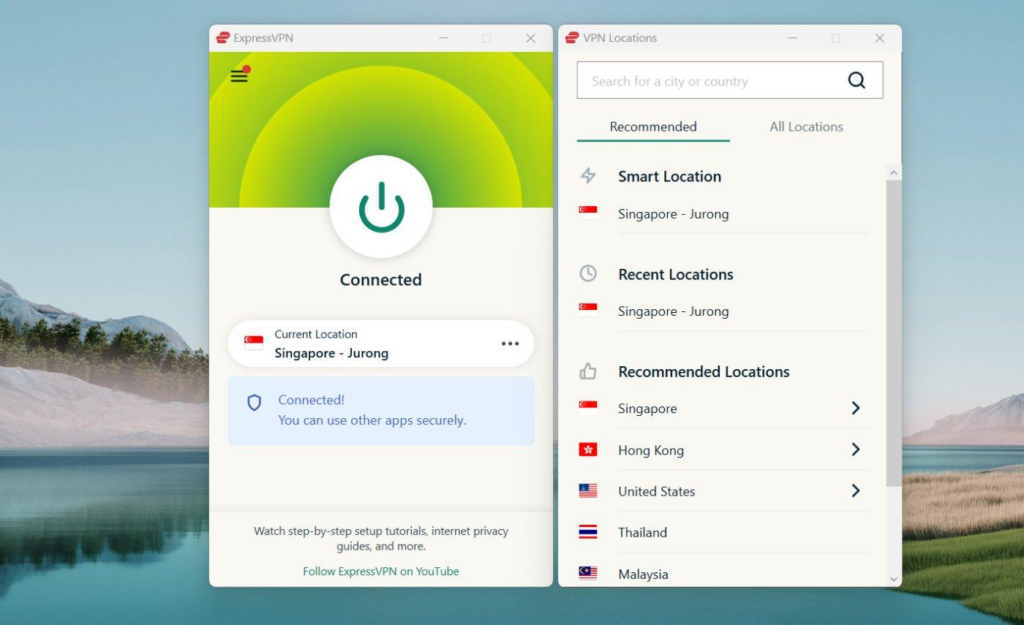
ExpressVPN is a good choice for IPTV users who want a simple VPN that works across several devices. Its easy-to-use applications, fast Lightway protocol, and router support make it suitable for beginners and experienced users.
ExpressVPN also offers its own router software for supported hardware. This is useful for IPTV devices that cannot install a VPN application directly.
Speed and Streaming Performance
ExpressVPN uses Lightway, a lightweight VPN protocol designed for secure and responsive connections.
It measured 1,177 Mbps using Lightway Turbo on a nearby server and 1,117 Mbps over a longer connection. However, Lightway Turbo is a Windows-specific feature, so users watching IPTV on Firestick or Android TV should not expect identical results.
ExpressVPN has also performed well in independent tests involving Netflix and other popular streaming services. However, access to Amazon Prime Video and regional streaming libraries depends on the server and subscription.
For IPTV, its automatic server selection and straightforward connection process are useful. You can open ExpressVPN, choose a nearby server, and then launch your IPTV app.
IPTV Device Compatibility and Security
ExpressVPN includes encrypted VPN connections, DNS leak protection, a kill switch on supported devices, and TrustedServer technology.
TrustedServer uses RAM-based server infrastructure. ExpressVPN has also undergone independent security and no-logs audits.
Its Lightway protocol includes modern encryption and post-quantum protection features.
ExpressVPN’s Basic, Advanced, and Pro plans support 10, 12, and 14 simultaneous connections respectively.
For Samsung and LG Smart TVs without native VPN apps, a supported VPN router may be useful. ExpressVPN’s MediaStreamer Smart DNS is another option for supported services, but it does not encrypt your connection.
| Pros | Cons |
| Fast NordLynx protocol. | Advanced security features may cost extra. |
| Strong independent speed results. | No VPN guarantees access to every IPTV provider. |
| Audited no-logs practices. | |
| Broad streaming device support. |
BEST FOR EASY SETUP: ExpressVPN is a strong option for IPTV users who want simple apps, reliable security, and broad device support. Its router features are particularly helpful for households using different Smart TVs and streaming boxes.
6. CyberGhost – Best for Beginners and Streaming-focused Server Selection
Apps: Windows, macOS, iOS, Android, Android TV, Fire TV, Linux
Devices: 7 simultaneous connections
Money-back guarantee: 45 days on longer eligible plans; 14 days on monthly plans
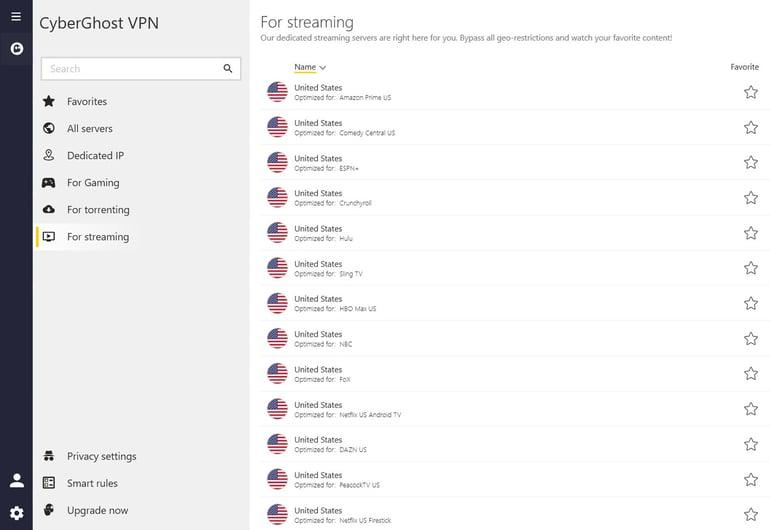
CyberGhost is a beginner-friendly VPN with streaming-focused server options and a wide international network.
It is a good fit for IPTV users who prefer a simple interface instead of advanced VPN settings.
CyberGhost supports seven simultaneous devices, offers WireGuard, and includes kill switch and DNS leak protection features.
Speed and Streaming Performance
CyberGhost is a solid choice for IPTV streaming, thanks to its WireGuard protocol, wide server network, and streaming-optimized servers. WireGuard is designed to keep VPN connections fast while using strong encryption, making it suitable for HD and 4K streaming.
CyberGhost also offers dedicated servers for popular streaming platforms, including Netflix and Amazon Prime Video. These servers are designed to improve streaming access, although availability and performance may vary by location and device.
For the best IPTV experience, choose a nearby server with WireGuard enabled. This can help reduce latency and unnecessary speed loss. However, CyberGhost cannot fix buffering caused by overloaded IPTV servers, unstable Wi-Fi, or insufficient internet bandwidth.
Overall, CyberGhost offers the features needed for smooth IPTV playback, particularly for users who prefer simple VPN settings and easy server selection..
IPTV Device Compatibility and Security
CyberGhost supports compatible Fire TV and Android TV devices, making it useful for watching IPTV through supported player applications.
Its security features include encryption, a kill switch, DNS leak protection, and a no-logs policy that has undergone independent auditing.
It also provides NoSpy servers and other privacy features for users who want more control over their connections.
The seven-device limit is one drawback for larger households.
CyberGhost offers a 45-day money-back guarantee on qualifying longer plans, while its monthly plan has a shorter 14-day refund period.
| Pros | Cons |
| Beginner-friendly applications. | Streaming features differ between platforms. |
| Streaming-optimized server choices. | Long-distance speeds can vary. |
| Good support for major streaming platforms. | |
| DNS and kill switch protection. |
BEST FOR BEGINNERS: CyberGhost is a practical IPTV VPN for people who want easy setup and streaming-focused server options. Its simple applications and longer refund window on eligible plans make it worth considering for first-time VPN users.
7. SymlexVPN – Best for Alternative VPN for Supported IPTV Devices
Apps: Windows, macOS, iOS, Android, Android TV, supported Fire TV devices
Devices: Multiple simultaneous connections; limits vary by plan
Money-back guarantee: 7 days on eligible first-time direct purchases
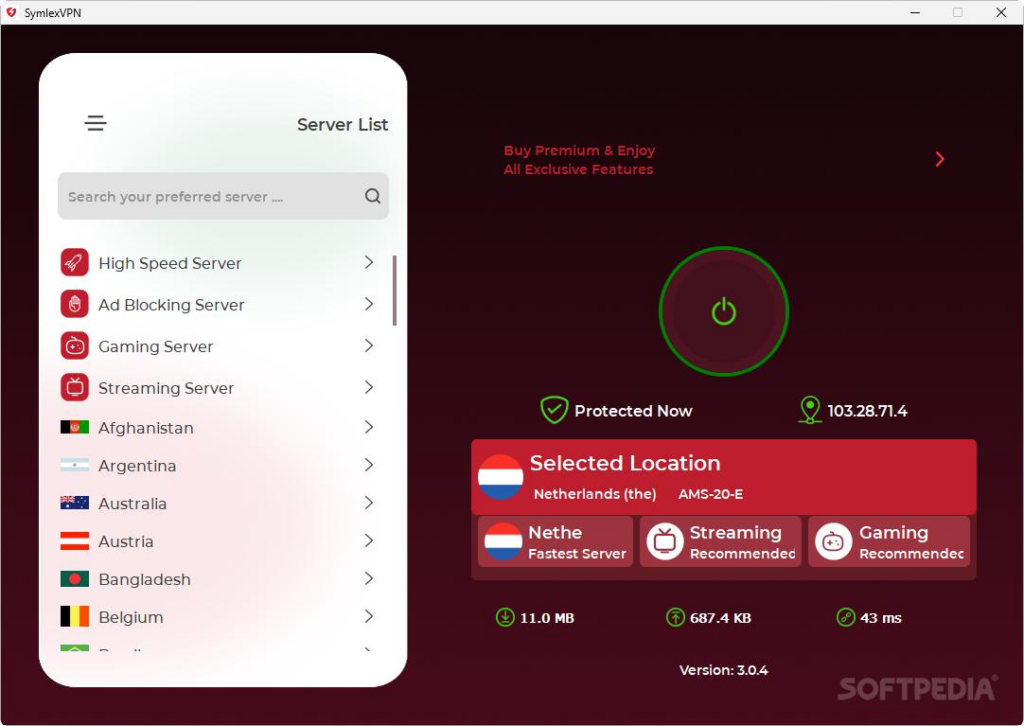
SymlexVPN is another option for IPTV users who want encrypted connections on a phone, computer, Android TV, or Firestick.
The service support for more than 100 premium server locations, multi-device use, and customer assistance.
Speed and Streaming Performance
SymlexVPN says it supports streaming through its VPN applications and recommends nearby servers for better performance.
It also advertises compatibility with popular streaming platforms.
However, we could not find a comparable speed benchmark for SymlexVPN from TechRadar, Tom’s Guide, or Comparitech. Therefore, it would be misleading to assign a specific Mbps result or claim that it outperforms the six other services.
The same limitation applies to Netflix and Amazon Prime Video compatibility. The provider’s general streaming claims do not establish reliable access across every region or device.
For IPTV users, the best approach is to test SymlexVPN with their own licensed streaming service before buying a long subscription.
IPTV Device Compatibility and Security
SymlexVPN offers applications for Windows, macOS, Android, iOS, Android TV, and Fire TV.
The service includes encrypted VPN connections and other advertised privacy tools. However, independently published technical evidence is more limited than for established providers such as Proton VPN and NordVPN.
SymlexVPN provides a five-day trial, and during the trial period the service’s some premium features didn’t work but the basic features seemed too good. It is easy to use and and I found the streaming performance of Netflix was so smoothalong with Hulu+ and HBO Max.
Its refund policy is especially important. The seven-day guarantee applies only to eligible first-time purchases made directly at the regular price. Promotional, discounted, affiliate, renewal, and certain long-duration purchases are excluded.
| Pros | Cons |
| Android TV and Fire TV compatibility. | Limited independent speed testing. |
| Provides access to numerous server locations. | Less published third-party security evidence. |
| Supports multiple devices. | |
| May suit users seeking an alternative to larger VPN brands. |
ALTERNATIVE IPTV VPN: SymlexVPN is an option for users who want to try a different VPN provider on supported streaming devices.
Final Comparison: Which VPN Should You Choose for IPTV
| Your main priority | VPN to consider | Reason |
| Privacy and verified security | Proton VPN | Audited policies, open-source apps, strong encryption |
| Firestick and Android TV | IPVanish | Native TV apps and unlimited connections |
| Several devices on one account | Surfshark | Unlimited connections and good value |
| Fast protocols and security tools | NordVPN | NordLynx and strong independent speed results |
| Simple setup and router support | ExpressVPN | Easy-to-use apps and router options |
| Beginner-friendly streaming | CyberGhost | Streaming server categories and straightforward apps |
| Testing an alternative provider | SymlexVPN | TV support and a trial option |
Which is the best VPN for IPTV streaming?
Proton VPN is a strong overall choice for privacy-focused IPTV users, while NordVPN stands out for security and connection performance. IPVanish is useful for Firestick, and Surfshark is a practical option for homes with several devices.
For the smoothest streaming experience, start with a nearby VPN server and a modern protocol such as WireGuard, NordLynx, or Lightway. If buffering continues, compare playback with and without the VPN.
A VPN can protect your connection, but it cannot repair an overloaded IPTV server or guarantee access to region-restricted content.
How Does a VPN Work With IPTV?
IPTV means Internet Protocol Television. It delivers TV content through an IP network rather than a traditional cable or satellite signal.
A VPN, or Virtual Private Network, creates an encrypted connection between your device and a VPN server.
Here is how IPTV with a VPN works:
Your IPTV device → Encrypted VPN connection → VPN server → IPTV service
Your internet provider can usually see that you are connected to a VPN, but it cannot easily inspect the content inside the encrypted VPN tunnel.
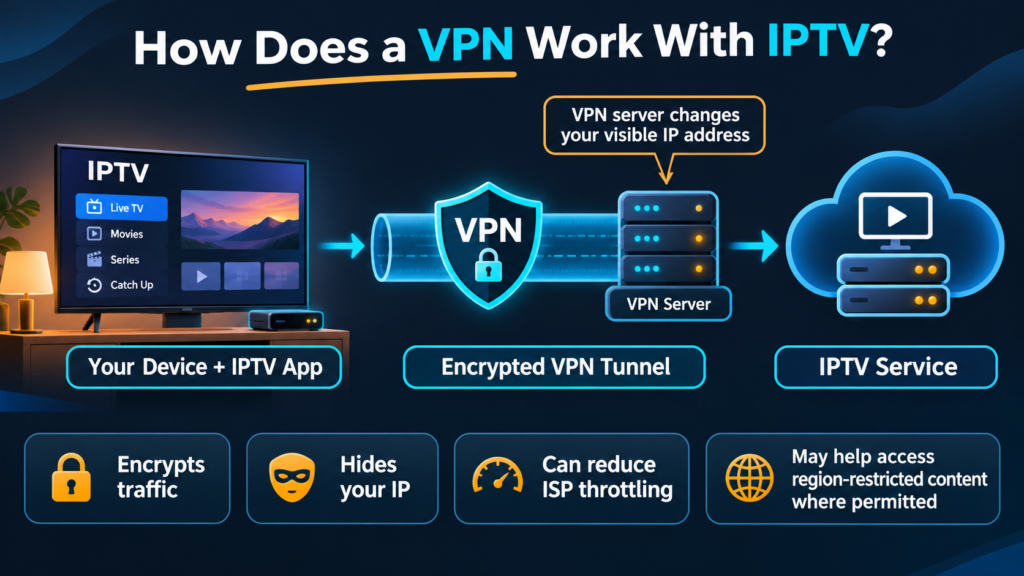
The IPTV service generally sees the VPN server’s public IP address instead of your normal public IP address.
However, the streaming service can still identify your account when you sign in.
A VPN does not make you completely anonymous online.
Does a VPN Help With IPTV Buffering?
A VPN can reduce IPTV buffering in some cases, but it can also make buffering worse.
It may help when your internet provider slows certain types of streaming traffic. A VPN encrypts that traffic, which can sometimes prevent traffic-based restrictions.
However, if buffering comes from a weak Wi-Fi signal, a slow IPTV server, or network congestion, a VPN may not solve it.
When Can a VPN Help?
A VPN may improve playback when:
- Your internet provider slows specific streaming traffic.
- The VPN offers a better network route.
- Your normal route to the IPTV server has a temporary problem.
When Can a VPN Cause Buffering?
A VPN may cause extra buffering when:
- The VPN server is too far away.
- The VPN server is overloaded.
- Your internet speed is already low.
- The VPN protocol adds too much overhead.
- Your device struggles to process encrypted traffic.
How Much Internet Speed Do You Need for IPTV?
These are useful starting points for a single stream:
| Video quality | Recommended connection speed |
| SD | 3–5 Mbps |
| HD 720p | 5–8 Mbps |
| Full HD 1080p | 8–12 Mbps |
| 4K Ultra HD | 25 Mbps or more |
Actual needs depend on the video bitrate, codec, player, and provider.
Leave extra speed available for other devices in your home.
Best VPN Settings for IPTV Streaming
Using the right VPN settings can help you get a more stable connection.
| VPN setting | Good starting choice | Why it matters |
| Protocol | WireGuard, NordLynx, or Lightway | Efficient connection |
| Server location | Nearest suitable server | Lower delay |
| Kill switch | Enabled where supported | Stops traffic if the VPN drops |
| Auto-connect | Enabled if needed | Connects automatically |
| Split tunneling | Only when needed | Controls which apps use the VPN |
| DNS | VPN provider’s DNS | Helps prevent DNS leaks |
| Multi-hop | Off for normal streaming | Avoids extra routing delay |
Start with your VPN’s automatic settings. Change one option at a time if you have problems.
There is no universal VPN server or setting that guarantees buffer-free IPTV.
How to Set Up a VPN for IPTV on Firestick
Amazon Fire TV Stick is a popular device for IPTV streaming.
Many VPN providers offer native apps for supported Fire TV models.
Follow these steps:
- Turn on your Firestick.
- Open the Appstore.
- Search for your VPN provider.
- Download its official app.
- Open the app and sign in.
- Select a nearby VPN server.
- Press Connect.
- Accept the VPN connection request if shown.
- Return to the Fire TV home screen.
- Open your IPTV app and play a channel.
These steps work for many Fire OS devices. Newer Fire TV products may use Vega OS, so check whether your VPN provider offers a compatible app.
Do I Need a VPN for IPTV on Firestick?
A VPN is optional for most legal IPTV services on Firestick.
It can be useful if you want an encrypted connection or experience traffic-based restrictions.
However, you should first check whether your IPTV service works correctly without a VPN.
How to Set Up a VPN on IPTV Smarters Pro
IPTV Smarters Pro is an IPTV player. It does not supply TV channels or subscriptions by itself.
The easiest way to use a VPN with IPTV Smarters Pro is to install a separate VPN app on your device.
Steps for Android TV and Firestick
- Install a compatible VPN application.
- Sign in to your VPN account.
- Connect to a nearby server.
- Launch IPTV Smarters Pro.
- Enter the credentials supplied by your legitimate IPTV provider.
- Open a live TV channel.
- Check whether playback works correctly.
If your version of IPTV Smarters supports VPN configuration files, follow the player developer’s documentation for the supported file format and VPN protocol.
You do not normally need to import a VPN certificate when using a separate VPN application.
How to Use a VPN on an IPTV Box
The setup depends on the type of IPTV box you own.
Android IPTV Box
If your box runs Android or Android TV and supports VPN apps, install the VPN directly.
Examples include compatible Android TV boxes and Google TV devices.
MAG Box or Other Dedicated IPTV Receiver
Some dedicated IPTV receivers cannot install regular VPN apps.
In that case, you may need to configure the VPN on your router.
The exact steps depend on the router model and firmware.
Apple TV
Several VPN providers offer native apps for supported Apple TV models.
Check the app’s tvOS requirements before subscribing.
Roku, Samsung TV, and LG TV
These devices generally do not support ordinary native VPN apps.
You can instead use a compatible VPN router or connect a supported streaming stick to the TV.
How to Add a VPN to a Router for IPTV
A router VPN can protect supported streaming devices that cannot run a VPN app.
First, check whether your router supports a VPN client. A router that offers VPN server features does not always support VPN client connections.
Then:
- Sign in to your router’s admin page.
- Open the VPN client settings.
- Select a protocol supported by your router and VPN provider.
- Import the provider’s configuration details.
- Enter the required credentials.
- Save the settings.
- Connect the VPN.
- Test the connection using a device on your network.
Not every router can run a VPN efficiently. Older routers may reduce your internet speed.
For detailed steps, follow your router manufacturer’s instructions.
Can You Use a Free VPN for IPTV?
Yes, but free VPNs have limits that can affect streaming.
Some free VPN services offer only a few server locations. Others limit your data, speed, or connection time.
Proton VPN Free is worth considering for basic privacy because it does not impose a monthly data cap.
However, Proton does not include its normal streaming support with the free plan.
Be careful with unknown free VPN apps. Review their privacy policy, ownership, permissions, and security history before installing them.
A paid VPN is often more practical for regular HD and 4K IPTV streaming.
How to Fix IPTV Buffering While Using a VPN
If your IPTV keeps stopping or loading, try these fixes in order.
1. Check Your Internet Speed
Run a speed test with the VPN disconnected.
Then connect the VPN and repeat the test.
If your speed drops sharply, the VPN server or protocol may be causing the problem.
2. Choose a Closer Server
A nearby server often reduces delay.
Try a server in your own country or region first, provided it works with your IPTV subscription.
3. Change the VPN Protocol
Try WireGuard, NordLynx, or Lightway, depending on your provider.
If your device only supports OpenVPN, try UDP before TCP for normal streaming.
4. Restart Your IPTV App
Close the IPTV player fully and reopen it.
This can clear temporary playback problems.
5. Use Ethernet Instead of Wi-Fi
A wired connection is often more stable than weak Wi-Fi.
If Ethernet is unavailable, use a strong Wi-Fi connection near your router.
6. Clear the IPTV App Cache
On Android-based devices, open the app settings and clear the cache if that option is available.
Avoid clearing app data unless you have saved your login details.
7. Test Without the VPN
Disconnect the VPN and play the same channel again.
If buffering stops, test a different VPN server or protocol.
If buffering continues, the issue may be with your internet connection, player, or IPTV provider.
8. Contact Your IPTV Provider
If only one channel buffers while others work, the problem may be on the streaming provider’s side.
A VPN cannot fix a broken or overloaded IPTV source.
How to Choose the Best VPN for IPTV
Before buying a VPN, consider these factors.
Streaming Performance
Look for modern VPN protocols such as WireGuard, NordLynx, or Lightway.
These are designed for efficient encrypted connections.
Device Compatibility
Check whether the VPN has a native app for your device.
Firestick, Android TV, Apple TV, and routers may all require different setup methods.
Privacy and Security
Look for encryption, clear privacy policies, DNS leak protection, and a kill switch.
Independent security audits are useful evidence when available.
Server Locations
Choose a VPN with server locations near you.
A large server count alone does not guarantee better IPTV performance.
Simultaneous Connections
Count the devices you want to protect.
Unlimited-device plans may be useful for large households.
Pricing and Refund Policy
Compare the total price, renewal charges, payment options, and refund terms.
Do not choose a VPN based only on a discounted monthly price shown for a long subscription.
Customer Support
Look for useful setup guides and responsive support, especially if you use a router or dedicated IPTV box.
How We Selected These IPTV VPNs
This comparison considers publicly documented VPN features and suitability for IPTV devices.
The main factors are:
- Support for Fire TV, Android TV, and other streaming devices.
- Availability of efficient VPN protocols.
- Privacy and security tools.
- Simultaneous-device limits.
- Router compatibility.
- Ease of installation.
- Published support and setup resources.
We did not run original speed tests of all seven VPNs for this article. Streaming performance depends on location, internet provider, VPN server, and IPTV service.
For that reason, we do not publish invented speed scores, success rates, or claims that every IPTV provider works with every VPN.
What is the best VPN for IPTV?
Proton VPN, IPVanish, Surfshark, NordVPN, ExpressVPN, CyberGhost, and SymlexVPN are seven options to consider. Proton VPN focuses on privacy, IPVanish offers strong TV device support, and Surfshark is useful for homes with many devices.
Do I need a VPN for IPTV?
No. Many licensed IPTV services work without a VPN. A VPN is optional and can add privacy, encryption, and protection on public networks.
Does IPTV work better with a VPN?
Sometimes. A VPN may improve IPTV playback if your internet provider is slowing streaming traffic. It can also make streaming slower when the VPN connection adds delay or uses an overloaded server.
Do VPNs stop IPTV buffering?
Not always. A VPN may help with traffic-based throttling, but it cannot repair weak Wi-Fi, a slow IPTV server, or an unstable internet connection.
What is the best VPN for IPTV on Firestick?
IPVanish, Proton VPN, Surfshark, NordVPN, and ExpressVPN are worth considering because they offer apps for compatible Fire TV devices. Check your Firestick model and operating system before installing.
What is the best VPN server for IPTV?
Start with a nearby server in a location permitted by your streaming service. A short distance and stable network route often provide better playback than a distant server.
What are the best NordVPN settings for IPTV?
Start with NordLynx, a nearby server, and automatic connection settings. Enable the kill switch if available and avoid unnecessary multi-hop routing for everyday streaming.
Can I use a free VPN for IPTV Smarters?
Yes. A free VPN can protect the internet connection used by IPTV Smarters. However, free plans may have speed limits, server restrictions, or limited support for streaming services.
How do I connect a VPN to IPTV?
Install a VPN app on your device, sign in, connect to a server, and then open your IPTV player. If the device cannot install VPN apps, a compatible VPN router may be an option.
What is the best IPTV service with a built-in VPN?
There is no single best IPTV service with a built-in VPN. Most IPTV players and services do not include a full VPN. It is often easier to use a licensed IPTV service with a separate, trusted VPN app.
Is using a VPN for IPTV legal?
VPN use is legal in many countries, but laws and service rules vary. Using a VPN does not make unauthorized streams legal or remove copyright obligations.
I don’t think the title of your article matches the content lol. Just kidding, mainly because I had some doubts after reading the article.
I don’t think the title of your article matches the content lol. Just kidding, mainly because I had some doubts after reading the article.
Thank you for your sharing. I am worried that I lack creative ideas. It is your article that makes me full of hope. Thank you. But, I have a question, can you help me?
Your article helped me a lot, is there any more related content? Thanks!
Thank you for your sharing. I am worried that I lack creative ideas. It is your article that makes me full of hope. Thank you. But, I have a question, can you help me?
Thank you for your sharing. I am worried that I lack creative ideas. It is your article that makes me full of hope. Thank you. But, I have a question, can you help me?
Can you be more specific about the content of your article? After reading it, I still have some doubts. Hope you can help me.
Your article helped me a lot, is there any more related content? Thanks!