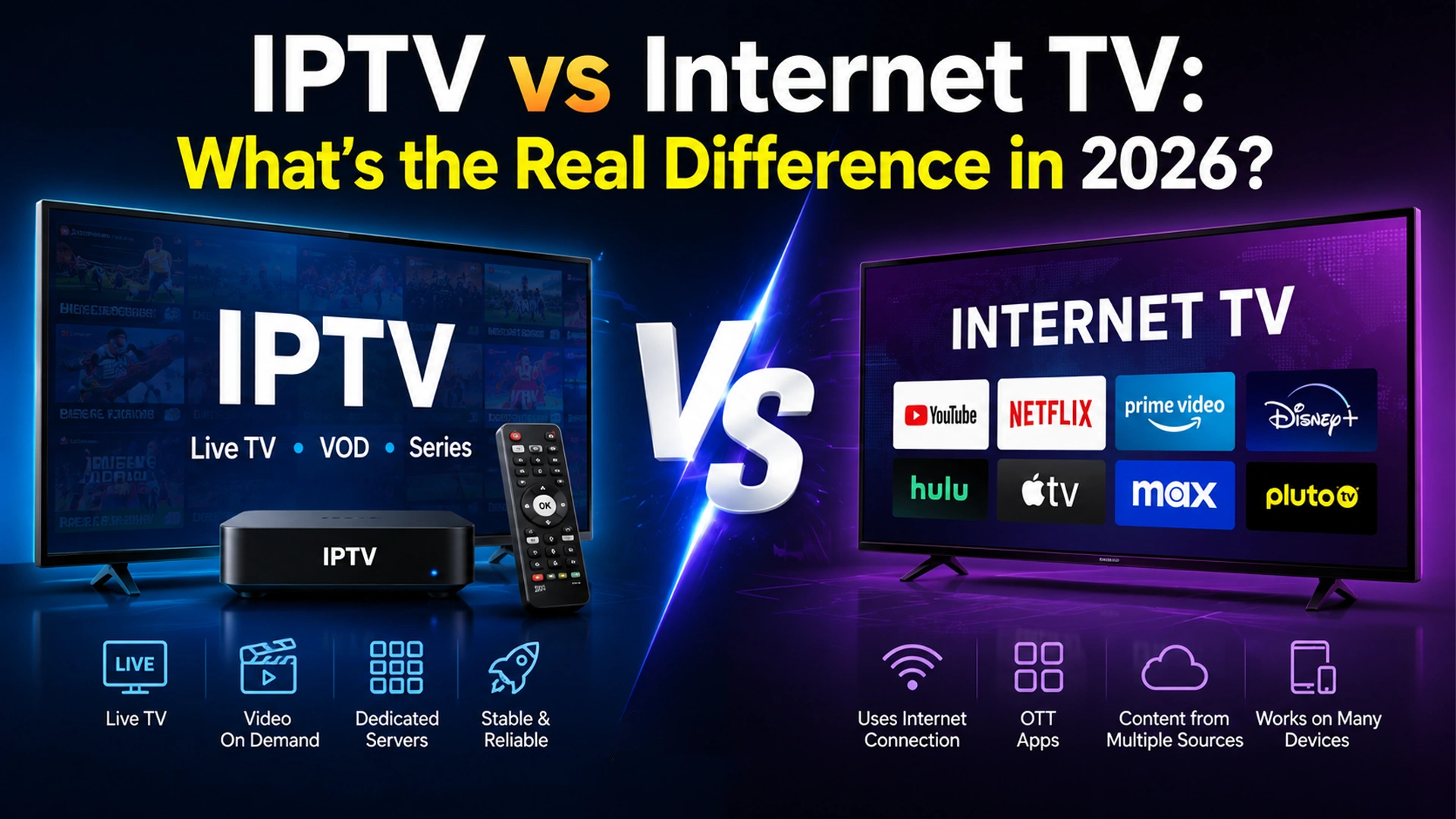
Most people use “IPTV” and “Internet TV” as if they mean the same thing. They don’t. Both deliver video over an internet connection, but the similarity mostly stops there. One runs on a network your provider controls from end to end. The other runs on the open internet — the same pipe you use for email, gaming, and video calls.
That difference sounds small. In reality, it decides whether your stream buffers during a big match, whether your provider can guarantee picture quality, and whether you’re locked into specific hardware or free to watch on almost any device you own.
This guide breaks down exactly how IPTV and Internet TV differ — architecture, quality, device support, pricing, etc. — so you can tell which one you’re actually using, or which one is worth paying for.
What is IPTV?
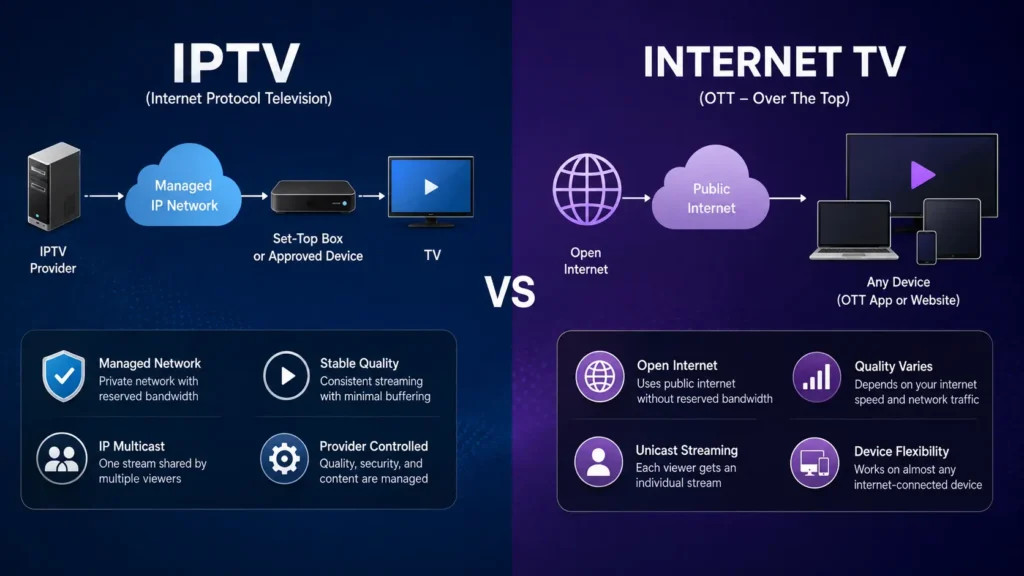
IPTV (Internet Protocol Television) is a technology that delivers live TV channels, movies, TV shows, and on-demand content over a managed IP-based network instead of traditional cable or satellite networks. One official definition, approved by the ITU-T IPTV Global Standards Initiative, describes IPTV as multimedia services delivered over IP-based networks that are managed to guarantee a required level of quality, security, and reliability.
Users can stream content on devices such as Firestick, Smart TVs, smartphones, computers, and streaming boxes using IPTV apps or media players.
What is Internet TV?
Internet TV is a digital television service that streams live channels and on-demand content over the open internet instead of using cable or satellite connections — the category also known as OTT (Over-The-Top) streaming. It supports playback on Smart TVs, streaming devices, smartphones, tablets, and web browsers.
IPTV vs. Internet TV: A Side-by-Side Comparison
IPTV uses a managed private network to deliver live TV and on-demand content, often through a dedicated set-top box. Internet TV (OTT) streams content over the public internet to smart TVs, smartphones, and other connected devices without requiring a managed network.
| Feature | IPTV (Internet Protocol Television) | Internet TV |
|---|---|---|
| Content Delivery | Streams TV content using Internet Protocol (IP) networks through an IPTV service provider. | Streams content over the public internet via websites or streaming apps. |
| Content Type | Live TV, VOD, catch-up TV, PPV events, and premium channels. | On-demand movies, TV shows, live streams, and original content. |
| Channel Lineup | Offers organized live TV channel packages similar to cable or satellite TV. | Typically focuses on individual streaming libraries rather than channel bundles. |
| Subscription Model | Usually requires an IPTV subscription or playlist (M3U/Xtream Codes). | May be free, ad-supported, or subscription-based depending on the platform. |
| Streaming Protocol | Uses IPTV protocols, M3U playlists, Xtream Codes, or portal URLs. | Uses standard HTTP/HTTPS streaming through web browsers or apps. |
| Supported Devices | Firestick, Android TV, Smart TVs, Apple TV, MAG, smartphones, tablets, PCs. | Smart TVs, streaming devices, smartphones, tablets, gaming consoles, web browsers. |
| Internet Requirement | Requires a stable broadband connection for uninterrupted streaming. | Also requires an internet connection but often uses adaptive bitrate streaming. |
| Best For | Users who want a complete cable-TV replacement with live channels and sports. | Viewers who primarily watch on-demand content and original programming. |
| Examples | IPTV Smarters Pro, TiviMate, XCIPTV with an IPTV subscription. | YouTube, Netflix, Hulu, Apple TV+, Disney+, Prime Video. |
Streaming Quality and Reliability
Because IPTV reserves bandwidth on a closed network, providers can promise a specific quality level and actually deliver on it. Internet TV can’t make that same guarantee.
Your video is competing for bandwidth with everything else online. For this reason, buffering and resolution drops are more common on Internet TV, especially on congested networks or during high-traffic events. Solid anti-freeze technology on the IPTV side is part of what closes that gap.
That gap is narrowing, though. Adaptive bitrate delivery, smarter CDN routing, and low-latency streaming protocols have significantly improved Internet TV’s consistency in recent years, even if it still can’t match a fully managed network stream-for-stream.
Device Compatibility
If you want flexibility, Internet TV wins outright. Since it runs over the open internet, it works on nearly any connected device — from smart TVs, phones, and tablets to laptops and streaming sticks. You don’t need provider-specific hardware.
IPTV, in its traditional telecom-delivered form, is more restrictive. It’s typically tied to a set-top box or approved device supplied by the provider, since the managed network only extends to authorized equipment.
Some newer IPTV deployments now offer smart TV and mobile apps too. Still, many IPTV service providers lean on operator-approved hardware rather than an open, bring-your-own-device model.
Content Delivery: Multicast vs. Unicast
This is a more technical distinction, but it explains a lot about why live TV behaves differently on each system.
IPTV networks commonly use IP multicast for live channels — a single stream is sent once and shared by every viewer watching that channel simultaneously. It’s efficient and keeps quality consistent even during high-demand broadcasts.
Internet TV typically relies on unicast delivery, where each viewer receives their own individual stream. Unicast scales more easily to a global, device-agnostic audience, but it also means more strain on servers and networks as viewer counts climb.
Pricing and Subscription Models
IPTV subscriptions are usually bundled through a telecom or ISP, or offered as standalone IPTV packages, often with pricing tied to a contract and specific hardware — though many providers now offer an IPTV free trial before you commit.
Internet TV subscriptions tend to be simpler and more flexible: month-to-month plans, no contract, no dedicated hardware, and the freedom to cancel or switch services whenever you like.
That flexibility is a large part of why OTT platforms have grown so quickly. There’s little friction between deciding to subscribe and actually watching.
Which One Should You Choose?
There’s no universal right answer. It depends on what you’re optimizing for.
Choose IPTV if:
- You want guaranteed streaming quality with minimal buffering, even during peak usage.
- You’re fine with provider-supplied hardware and a longer-term contract.
- You live somewhere your ISP or telecom offers a managed TV package — browse IPTV service providers to compare options.
Choose Internet TV (OTT) if:
- You want to watch on your own devices without being tied to a specific box.
- You prefer flexible, no-contract subscriptions you can cancel anytime.
- You’re comfortable with quality that depends partly on your home internet connection.
Many households use both IPTV and Internet TV. IPTV is typically used for live TV, while Internet TV focuses on on-demand streaming. Understanding the difference helps you choose the right service for your viewing needs.
Frequently Asked Questions
-
Is IPTV the same as Internet TV?
No. IPTV runs on a private, provider-managed network with reserved bandwidth, while Internet TV runs over the open internet using your existing broadband connection. They both deliver video using IP packets, but the infrastructure and quality guarantees behind them are different.
-
Is Netflix IPTV or Internet TV?
Netflix is Internet TV, more specifically classified in the industry as OTT (Over-The-Top). It streams over the open internet to any connected device, rather than through a managed, provider-controlled network.
-
Does IPTV need a set-top box?
Traditional telecom-delivered IPTV usually requires a provider-supplied set-top box or approved device, since the managed network only extends to authorized hardware. Some newer IPTV services now offer smart TV and mobile apps as well.
-
Why does IPTV have less buffering than Internet TV?
Because IPTV runs on a closed, managed network with bandwidth specifically reserved for video, the provider can actively control quality of service. Internet TV shares bandwidth with all your other internet traffic on the open network, which makes it more susceptible to congestion-related buffering.
-
Which is better for live sports: IPTV or Internet TV?
IPTV generally has the edge for live sports because of its lower latency and multicast delivery, which keeps quality consistent even when large numbers of viewers are watching the same event at once. Internet TV has narrowed this gap with low-latency streaming protocols, but managed-network IPTV still tends to be more reliable during high-demand broadcasts.
Your article helped me a lot, is there any more related content? Thanks!
Thanks for sharing. I read many of your blog posts, cool, your blog is very good.
Thank you for your sharing. I am worried that I lack creative ideas. It is your article that makes me full of hope. Thank you. But, I have a question, can you help me?
Thank you for your sharing. I am worried that I lack creative ideas. It is your article that makes me full of hope. Thank you. But, I have a question, can you help me?
Your point of view caught my eye and was very interesting. Thanks. I have a question for you.
Your point of view caught my eye and was very interesting. Thanks. I have a question for you.
Can you be more specific about the content of your article? After reading it, I still have some doubts. Hope you can help me.