
Cable bills keep climbing, and in 2026 more Americans than ever are finally saying “enough.” If you’ve searched for the best IPTV, tried to find bestiptv options, or wondered which IPTV provider is actually reliable, you’ve probably noticed the space is crowded, confusing, and full of empty promises.
This guide sticks to one thing: legitimate, licensed live TV streaming services — the kind that pay networks for their content, show up in official app stores, and won’t disappear overnight. No gray-market apps, no “30,000 channel” scams, just a straight comparison of the four IPTV service providers most U.S. cord-cutters are actually choosing between in 2026.
Quick Answer: The Best IPTV Service for Most People
If you only read one section, read this one.
- Best overall / easiest to use: YouTube TV ($82.99/mo)
- Best value bundle: Hulu + Live TV ($89.99/mo) — includes Disney+ and ESPN Select
- Best budget option: Sling TV (from $45.99/mo)
- Best for sports and regional teams: FuboTV (~$85–$95+/mo)
There’s no single IPTV best provider for everyone — the right pick depends on your channel priorities, budget, and how many screens you need. The full breakdown is below.
What’s In This Guide
- What Is IPTV, Really?
- The Top Contenders: A Deep Dive
- Direct Comparison Table
- Buyer’s Guide: How to Choose
- Frequently Asked Questions
- Final Verdict
What Is IPTV, Really?
“IPTV” stands for Internet Protocol Television — TV delivered over the internet instead of through a satellite dish or coaxial cable. No magic, no loopholes.
In the mainstream, legal sense (what this guide covers), IPTV shows up as vMVPDs — virtual multichannel video programming distributors. Think YouTube TV, Hulu + Live TV, Sling TV, and FuboTV. These are officially licensed by networks like ABC, ESPN, CNN, and Fox, so you get the same channels as cable, streamed through an app on your phone, smart TV, Roku, or Fire Stick.
Why is everyone switching to an IPTV subscription in 2026?
- No contracts. Cancel anytime, no early termination fees.
- No equipment rentals. No cable boxes, no truck rolls, no installation fees.
- Built-in cloud DVR. Most services now include generous or unlimited recording storage at no extra charge.
- Bundled streaming perks. Some plans throw in Disney+, ESPN+, or premium channels for less than buying them separately.
- Flexibility. Multi-device, multi-screen viewing on your terms.
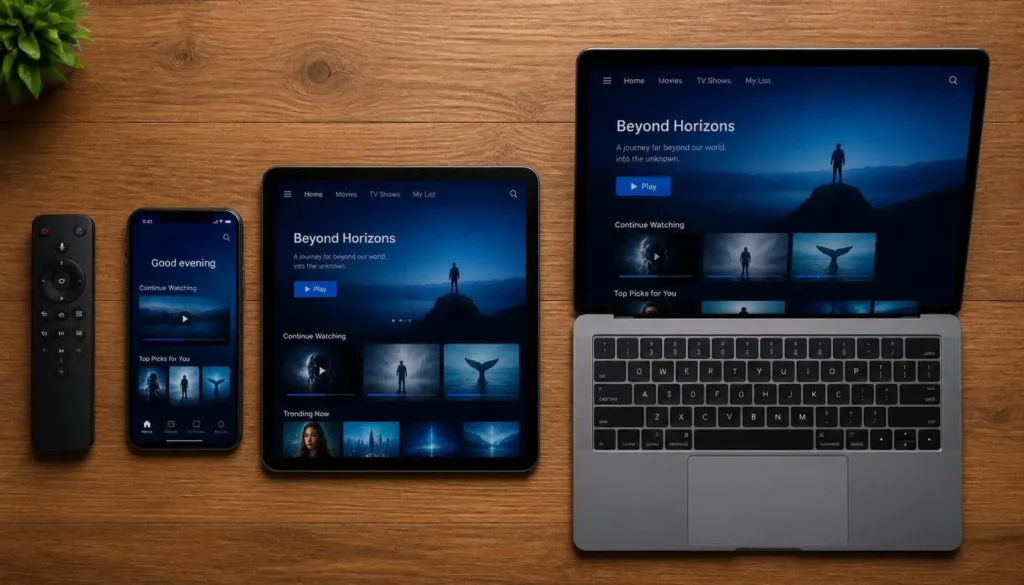
With traditional cable prices creeping past $150/month in many markets, it’s no surprise that the best IPTV service providers in the U.S. are picking up millions of new subscribers every year. According to Pew Research Center, 83% of U.S. adults now use streaming services, while far fewer subscribe to cable or satellite TV — a gap that’s only widened since. What actually makes a great IPTV experience isn’t a giant channel count — it’s reliability, real customer support, and content you can legally watch without interruption.
A quick but important note: this guide sticks strictly to verified, legal streaming services. Skip anything promising “10,000+ channels” for $15 a month — those unlicensed IPTV apps aren’t just gray-market, they’re a legal and security risk (the National Intellectual Property Rights Coordination Center actively investigates and prosecutes illegal streaming operations), and they tend to vanish the moment you’ve paid. If you’re comparing IPTV providers US-wide, stick with names you recognize that appear in official app stores (Roku, Apple TV, Google Play, Samsung’s app store, Amazon).
The Top Contenders: A Deep Dive
1. YouTube TV — Best for Ease of Use & Local Channels
Price: $82.99/month (base plan)
YouTube TV has become the most popular live TV streaming service in America, and it’s easy to see why — the interface is clean, the DVR is genuinely unlimited, and it just works.
Key features:
- 100+ channels, including every major broadcast network (ABC, CBS, NBC, FOX) plus cable staples like ESPN, TNT, USA, and Bravo
- Unlimited cloud DVR with 9 months of storage
- Strong local channel coverage in most major markets — a big deal for local news and hometown sports
- Up to 3 simultaneous streams away from home, and up to 6 on home Wi-Fi
- 6 accounts per household, each with a personalized recommendation feed
- Optional add-ons: NFL Sunday Ticket, 4K Plus, and premium channel bundles (HBO Max, Paramount+ with Showtime, Starz)
Who it’s for: People who want the most “cable-like” experience with zero learning curve, and who value complete local channel access without workarounds. Budget-conscious households can also look at YouTube TV’s leaner genre-based tiers (Sports and Entertainment plans) if they don’t need the full lineup.
2. Hulu + Live TV — Best Value for the Disney+ & ESPN+ Bundle
Price: $89.99/month
If you already have Disney+ or ESPN+ in your streaming budget, Hulu + Live TV might be the smartest move you make all year. This isn’t just live TV — it’s a package deal.
Key features:
- 95+ live channels, covering major networks, cable staples, and a strong sports lineup
- Disney+ and ESPN Select included at no extra cost — three services under one bill
- Hulu’s on-demand library of originals, next-day network shows, and movies
- Unlimited cloud DVR included standard
- Streaming on up to 2 screens simultaneously (upgradeable with an add-on)
- Optional ad-free on-demand library upgrade
Who it’s for: Families and binge-watchers who want live TV and a top-tier on-demand library and Disney/ESPN content, without stacking three separate subscriptions. Price out Hulu, Disney+, and ESPN+ individually, and this bundle usually comes out significantly cheaper.
3. Sling TV — Best for Budget Flexibility
Price: Starting at $45.99/month
Sling TV is the original cord-cutter favorite for one reason: you only pay for what you actually watch. Instead of one giant bundle, Sling splits its lineup into two customizable packages.
Key features:
- Sling Orange ($45.99/month): Best for ESPN and Disney-owned channels — sports fans and families with kids
- Sling Blue ($50.99/month): News, reality TV, and local affiliates in select markets, plus more simultaneous streams
- Orange + Blue combo (~$60–66/month): Both lineups together, still cheaper than most full-price competitors
- 50 hours of free cloud DVR, upgradeable to unlimited for a small add-on fee
- Sling Freestream: a genuinely free tier with hundreds of ad-supported channels, no account required
- À la carte add-on packs (sports, lifestyle, kids, international)
Who it’s for: Budget-conscious cord-cutters who don’t need a massive channel count and would rather build a custom lineup than pay for a one-size-fits-all bundle. It’s consistently the cheapest reliable IPTV provider in the mainstream U.S. market.
4. FuboTV — Best for Sports Fans & Regional Sports Networks
Price: Roughly $85–$95+/month, depending on plan (plus a regional sports network fee in most areas)
FuboTV started as a soccer-streaming platform, and that sports-first DNA still defines it. If your household revolves around game day, this is the best IPTV service for sports in the U.S.

Key features:
- 180–250+ channels, depending on plan tier (Pro, Elite, Premier)
- Deep coverage of Regional Sports Networks (RSNs) for local MLB, NBA, and NHL games
- Multiview, letting you watch up to 4 games at once on a single screen
- Unlimited (or near-unlimited) cloud DVR across all plans
- Up to 10 simultaneous streams at home, plus additional away-from-home streams
- Add-ons: international sports, Sports Plus (with NFL RedZone), premium channels like Showtime
Who it’s for: Serious sports households — especially fans who follow local teams and need RSN access, or anyone tracking multiple live games at once. Budget for the separate RSN fee (typically $12–$17/month depending on location), since it’s not always folded into the advertised price.
Direct Comparison Table
| Service | Monthly Price | Channel Count | Best For |
| YouTube TV | $82.99/mo | 100+ | Ease of use & local channels |
| Hulu + Live TV | $89.99/mo | 95+ | Disney+/ESPN bundle value |
| Sling TV | From $45.99/mo | 30–50+ (by package) | Budget flexibility |
| FuboTV | ~$85–$95+/mo | 180–250+ | Sports fans & RSNs |
Prices reflect standard 2026 rates and may vary with promotions, add-ons, taxes, and regional fees.
Cost Per Channel: Which Service Actually Gives You the Best Value?
Sticker price alone doesn’t tell you which IPTV service provider actually delivers the most for your money — a $90/month plan with 215 channels can be a better deal than a $46/month plan with 30. Here’s how the four break down when you divide monthly price by channel count:
Show Image
A few things this reveals that a plain price list doesn’t:
- FuboTV is the cheapest per channel by a wide margin ($0.42), thanks to its large 200+ channel lineup — but that number doesn’t account for the RSN fee most subscribers also pay.
- Sling Orange has the highest cost per channel ($1.53) despite being the cheapest sticker price, simply because the lineup is smaller. That’s the trade-off you’re accepting for flexibility, not a flaw — you’re paying for fewer, more targeted channels, not fewer dollars per channel.
- YouTube TV and Hulu + Live TV land in the middle, which tracks with their positioning as full-featured, cable-replacement bundles rather than budget or sports-maximizing options.
The catch: cost-per-channel is a useful gut check, not the whole story. A service with a lower price-per-channel isn’t automatically the better buy if half those channels are ones you’ll never watch. Weigh this alongside the buyer’s guide below before deciding.
The “Stacking Cost” Trap
One thing worth calling out: Sling’s lower sticker price can quietly disappear once you start adding what’s missing.
If Sling Orange doesn’t carry a channel you actually watch, the fix is usually an add-on pack ($6–$11/month each) — and stack enough of those and you can land close to what YouTube TV or Hulu + Live TV charge for a complete lineup out of the box. Before choosing Sling purely on price, check its channel list against the specific networks you watch weekly, not just the ones you watch occasionally.
Buyer’s Guide: How to Choose the Right Service
Run through this quick checklist before you commit:
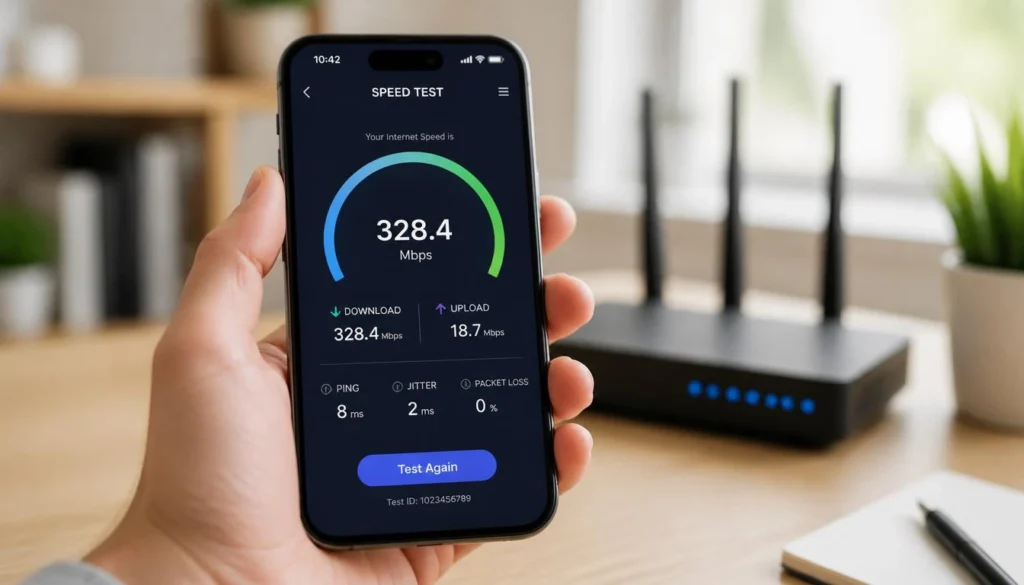
- Check your internet speed. At least 25 Mbps for solid single-stream HD; 50+ Mbps if multiple people will be streaming (or watching in 4K) at once. Run a free test at Speedtest by Ookla to see where your connection currently stands, or check the FCC’s broadband speed guide for a breakdown of what different speeds actually support.
- Confirm device compatibility. Most services work across Roku, Fire TV, Apple TV, Android TV, smart TVs, and mobile devices — double-check your specific hardware before signing up.
- Count your simultaneous screens. Big household? Prioritize FuboTV or YouTube TV, which support more concurrent streams. Just you or a couple? Sling’s lower stream limits won’t matter as much.
- Think about your must-have channels. Sports fan? FuboTV or Sling Orange. Local news addict? YouTube TV’s local coverage is hard to beat. Want everything under one login? Hulu + Live TV’s bundle wins.
- Factor in DVR needs. Record a lot of shows and hate managing storage limits? Unlimited DVR (YouTube TV, Hulu, FuboTV) is worth paying more for.
- Look for free trials and intro pricing. Most services offer trial periods or discounted first months — use them to test channel availability and streaming quality in your specific area before locking in.
- Know that your real price depends on your ZIP code. Regional Sports Network fees, local broadcast surcharges, and taxes all vary by market — the advertised base price is a starting point, not the final checkout total. Always confirm the actual price for your address before subscribing.
- Check for blackout restrictions. Live sports on any streaming service, not just IPTV apps, are subject to the same regional blackout rules as cable and satellite. A national subscription doesn’t guarantee you can watch every local game — verify coverage for your specific teams and market first.
Frequently Asked Questions
Which IPTV service is the best?
There’s no universal winner — it depends on your priorities. YouTube TV is the best all-around pick for ease of use and local channels, Hulu + Live TV wins on bundled value, Sling TV is the most budget-friendly, and FuboTV is the top choice for sports. If someone tells you there’s one single “best,” they’re probably not being straight with you. If you’re interested in learning more about IPTV players, see our complete guide to IPTV Stream Player and how to install it across different devices.
What’s the most reliable IPTV service?
There’s no universal winner — it depends on your priorities. YouTube TV is the best all-around pick for ease of use and local channels, Hulu + Live TV wins on bundled value, Sling TV is the most budget-friendly, and FuboTV is the top choice for sports. If someone tells you there’s one single “best,” they’re probably not being straight with you.
What is the best IPTV service in the world?
This guide focuses on the U.S. market, where YouTube TV, Hulu + Live TV, Sling TV, and FuboTV are the leading legal options. Availability and the “best” pick vary a lot by country, since content licensing is region-specific — a service that’s excellent in the U.S. may not even be available elsewhere.
Which IPTV is better: Sling or the bigger bundles?
If budget is your main concern, Sling TV is hard to beat. If you want a larger channel count and unlimited DVR, YouTube TV, Hulu + Live TV, or FuboTV are usually the better call. It comes down to how much you’re willing to pay for extra channels and features.
Which IPTV app is the best?
Stick to the official apps from the providers themselves — YouTube TV, Hulu, Sling TV, and FuboTV all have polished, well-rated apps on Roku, Fire TV, Apple TV, Android TV, and Samsung Smart TVs. You never need to install a separate third-party player to use these services — if a “service” requires that kind of workaround, that’s a red flag that it isn’t a licensed provider. (More on this below if you’ve been searching for IPTV Smarters specifically.)
Which IPTV service offers 30,000 channels?
None of the legitimate services in this guide do, and that’s intentional. Claims of 10,000, 20,000, or 30,000+ channels are a hallmark of unlicensed, gray-market IPTV operations — no legal U.S. streaming service comes close to that number because real programming licenses are expensive and limited. Treat that number as a warning sign, not a selling point.
What is the best IPTV box in 2026?
You don’t need a special “IPTV box” for any of the services covered here. They run natively on Roku, Amazon Fire TV, Apple TV, Google TV/Chromecast, and most modern smart TVs, including Samsung models — no extra hardware or third-party app required.
Searching for “IPTV Smarters on Samsung TV”?
Here’s the legal alternative. IPTV Smarters Pro is a third-party media player app, not a licensed channel provider — it’s typically used to load streams from unverified IPTV subscription sellers onto a Samsung TV, and going that route comes with real legal, security, and reliability risks (including streams that simply vanish after you’ve paid). The good news is you don’t need it. Samsung Smart TVs come with a built-in app store, and every service in this guide — YouTube TV, Hulu + Live TV, Sling TV, and FuboTV — has an official, dedicated app you can download directly from the Samsung Smart Hub, no third-party player or sideloading involved. Just search the service’s name in your Samsung TV’s app store, log in, and you’re watching licensed live TV in a couple of minutes. Same channels, minus the risk.
Which IPTV server is better?
This question usually applies to unlicensed IPTV setups that route through third-party servers — something you don’t need to think about with legal vMVPDs. YouTube TV, Hulu + Live TV, Sling TV, and FuboTV stream directly from the provider’s own infrastructure, so there’s no “server” to choose or troubleshoot.
Final Verdict
There’s no single “best” IPTV service in 2026 — it depends on what you value most:
- Want it simple and reliable? YouTube TV.
- Want maximum value from a Disney/ESPN combo? Hulu + Live TV.
- Want to control your budget down to the dollar? Sling TV.
- Live and breathe sports? FuboTV.
All four are legitimate, licensed streaming services with real customer support, real content deals, and none of the risk that comes with sketchy unlicensed IPTV apps.
Now it’s your turn — which of these services do you currently use, and which one are you thinking about switching to? Drop a comment below and let us know what’s working (or not working) for your household in 2026.
Your post offered a thoughtful explanation of the subject while browsing online and I look forward to reading more from you
I loved as much as you’ll receive carried out right here. The sketch is attractive, your authored subject matter stylish. nonetheless, you command get bought an nervousness over that you wish be delivering the following. unwell unquestionably come more formerly again since exactly the same nearly a lot often inside case you shield this hike.