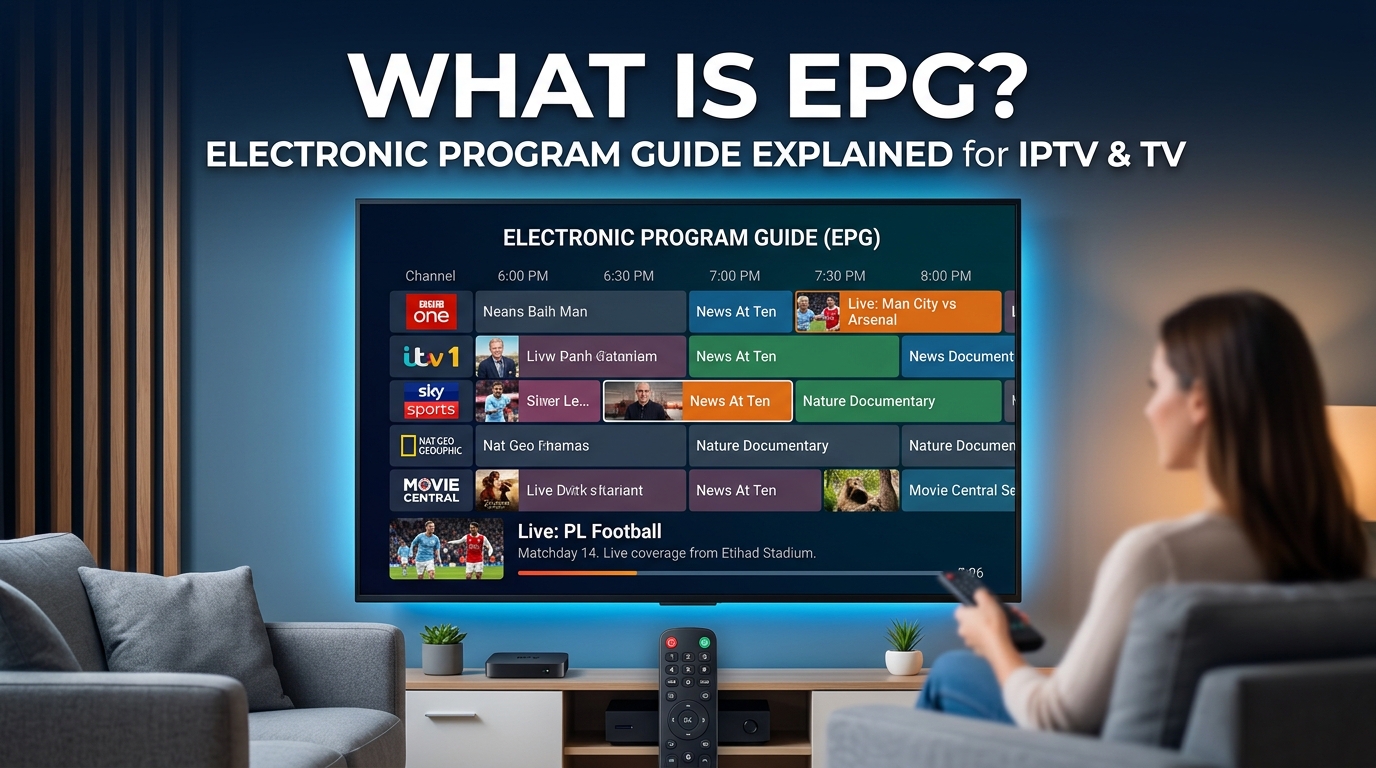
EPG IPTV refers to an Electronic Program Guide used with IPTV services to show live and upcoming programs, channel schedules, program titles, times, and descriptions. It works like a digital TV guide, helping viewers see what is playing now and what comes next.
An EPG can make IPTV easier to browse by letting you check program schedules without opening each channel individually.
What Is EPG in IPTV?
EPG in IPTV means Electronic Program Guide. It is the digital TV guide that displays current and upcoming programs, channel schedules, titles, times, and descriptions in a compatible IPTV player. Instead of checking a printed schedule or channel website, you open the guide on your TV, IPTV app, or set-top box.
An EPG can show:
- Current and upcoming TV schedules
- Channel names and program times
- Program descriptions, genres, and episode details
- Past or catch-up programs when supported
- Previous programs or catch-up content when supported
EPGs are widely used on IPTV services, smart TVs, streaming devices, OTT platforms, cable and satellite platforms, and TV apps. In IPTV, the guide usually loads schedule data from the provider and displays it alongside the channel list.
In simple terms: An EPG works like a digital TV timetable, making it easier to browse channels and find programs.
For example:
| Channel | Without EPG | With EPG |
| ESPN | ESPN | Live Sports — 8:00 PM |
| BBC News | BBC News | World News — 8:30 PM |
| Animal Planet | Animal Planet | Nature Special — 9:00 PM |
How EPG Works in IPTV
An EPG (Electronic Program Guide) works by retrieving program schedule data and matching it with your IPTV channel list. The IPTV player then displays information such as program titles, start times, descriptions, and what is currently playing or coming next.
- M3U Playlist – An M3U playlist contains channel information and stream URLs that an IPTV player uses to load live channels.
- EPG Data – EPG data contains program schedules, titles, descriptions, start times, end times, and other metadata. It may be provided through XMLTV or another supported data source.
- Channel Matching – The IPTV player matches channels in the playlist with the corresponding program information from the EPG source. Channel identifiers such as
tvg-idortvg-namecan be used for this matching. - Displaying the TV Guide – After the data is matched, the IPTV player organizes the information into a TV guide showing programs by channel and time.
The IPTV player matches the EPG data with the correct channels and displays it as a familiar TV guide.
M3U = channel and stream information
EPG = program schedule information
XMLTV = one common format for EPG data
IPTV player = displays the channels and guide
What Is XMLTV in IPTV EPG?
XMLTV is a commonly used format for storing and exchanging television program information.
XMLTV data can contain information such as:
- Channel ID
- Channel name
- Program title
- Start time
- End time
- Program description
- Episode information
An IPTV player can use XMLTV data to populate its EPG.
The important distinction is:
EPG is the TV guide users see, while XMLTV is one format that can provide the data behind that guide.
Not every IPTV service uses XMLTV. Some services and applications use APIs or other structured data sources.
What Is an EPG URL?
An EPG URL is a web address that points to an EPG data source supported by an IPTV player.
If your IPTV provider gives you a separate EPG URL, you can usually add it to the player’s EPG or TV Guide settings. The player then retrieves the program schedule from that source.
Some IPTV services already include EPG information with the playlist, so a separate EPG URL may not be required.
How to Set Up an EPG in an IPTV Player
The exact menu depends on your IPTV player, but the general setup is straightforward.
Step 1: Get the EPG source
Check your IPTV provider’s setup information for an EPG URL or built-in guide.
Step 2: Open your IPTV player
Look for settings such as:
- EPG
- TV Guide
- Program Guide
- Electronic Program Guide
Step 3: Add the EPG source
If the app supports external EPG, enter the EPG URL provided by your service.
Step 4: Save and update
Save the settings and use the player’s Refresh, Update EPG, or similar option.
Step 5: Check the guide
Open the TV Guide and check several channels.
If some channels work and others show No Information, the problem may be channel mapping rather than the EPG source itself.
The exact setup steps vary between IPTV players, so do not assume every app uses the same menu or EPG method.
Key Features of Using an Electronic TV Guide
An EPG (Electronic Program Guide) is more than a simple TV schedule. In IPTV apps, it organizes channel and program information into an easy-to-browse TV guide.
Let’s check the 11 most important features of an electronic TV guide:
- Channel schedule: Shows current, upcoming, and sometimes previous programs.
- Program details: Displays titles, start times, duration, descriptions, genres, casting, episode, and other relevant information when available.
- Channel navigation: Lets you browse multiple channels without switching between them.
- Search and categories: Some EPGs let you find programs by title, genre, sports, movies, news, or other categories.
- Catch-up support: On supported IPTV services, the guide can link to previously aired programs.
- Program timeline: Shows how long a program has been running and what is scheduled next.
- Real-Time Program Information: Provides up-to-date schedules for available channels.
- Cross-Platform Access: Works across supported smart TVs, streaming devices, mobile apps, and IPTV players.
- User-Friendly Navigation: Organizes channels, programs, times, and categories in an easy-to-browse TV guide.
- Personalization: Some electronic channel guides support personalized recommendations and user profiles, using viewing preferences to suggest relevant programs. This can help different household members get a more tailored TV guide.
- Displaying Analytics: Some EPG platforms provide viewing analytics that help broadcasters and IPTV providers understand content performance, viewer behavior, and engagement. These insights can support better content planning and service improvements.
Not every EPG supports all of these features.
What are the Benefits of Using a Modern EPG?
The modern Electronic TV guide makes the lives of Internet Protocol TV enthusiasts and satellite TV lovers so much easier. Now, they can effortlessly check and schedule their favorite programs. Let’s check the major advantages of using a TV schedule guide:
An EPG benefits both viewers and TV service providers.
Benefits for Viewers
1. Simple navigation
You can browse channels and programs from one screen.
2. Better content discovery
You can find programs by title, channel, time, or genre.
3. Clear schedules
You can see what is playing now and what comes next.
4. Less channel surfing
You do not need to open channels one by one to find something interesting.
5. Better planning
You can check upcoming shows, movies, sports events, and news programs.
Benefits for TV and IPTV Providers
A well-organized EPG can also help providers improve the user experience.
It can help providers:
- Organize channel and program information
- Improve content discovery
- Support search and categories
- Display accurate program metadata
- Integrate supported catch-up, reminder, or recording features
The quality of the experience depends on how accurate and frequently updated the EPG data is.
EPG IPTV vs IPTV Playlist
An EPG and an IPTV playlist serve different purposes.
| Feature | EPG IPTV | IPTV Playlist |
| Main purpose | Shows program schedules | Provides channel and stream information |
| Shows | Titles, times, descriptions, program details | Channels and stream URLs |
| Common format | XMLTV and other structured data | M3U |
| Main function | Tells you what is playing | Helps the player load the channel |
| Necessary for playback | Not always | Usually needed for live channel access |
Common Types of EPG Views
EPGs can present program information in different layouts depending on the platform and service.
Now/Next EPG
Shows the program currently playing and the next scheduled program.
Single-Channel EPG
Displays the schedule for one channel, usually in a timeline.
Multi-Channel EPG
Shows schedules for several channels in a grid, making it easier to compare programs.
Full EPG
Provides a broader guide with multiple channels, time periods, and additional navigation features when supported.
Which Devices Support EPG?
An EPG (Electronic Program Guide) can be available across many devices and TV platforms, depending on the service, app, and provider.
- Smartphones & Tablets: Mobile TV and IPTV apps can display EPG schedules on Android and iOS devices when the service supports them.
- Smart TVs: Samsung, LG, Google TV, Roku TV, TCL, Hisense, and other supported platforms.
- Streaming Devices & Set-Top Boxes: Devices such as Apple TV, Roku, Google TV, and Amazon Fire TV can display program guides through compatible apps or TV services.
- Smartphones and tablets: IPTV and TV apps can display EPG schedules on Android and iOS when supported.
- Streaming devices: Roku, Apple TV, Google TV, Amazon Fire TV, and similar devices through compatible apps or services.
- Computers: Compatible IPTV applications and web-based TV services may display program guides.
- Cable & Satellite Receivers: Traditional digital TV receivers and set-top boxes often include built-in program guides.
EPG availability and features depend on the device, IPTV player, TV service, and EPG data source.
What’s the Relationship Between EPG and IPTV?
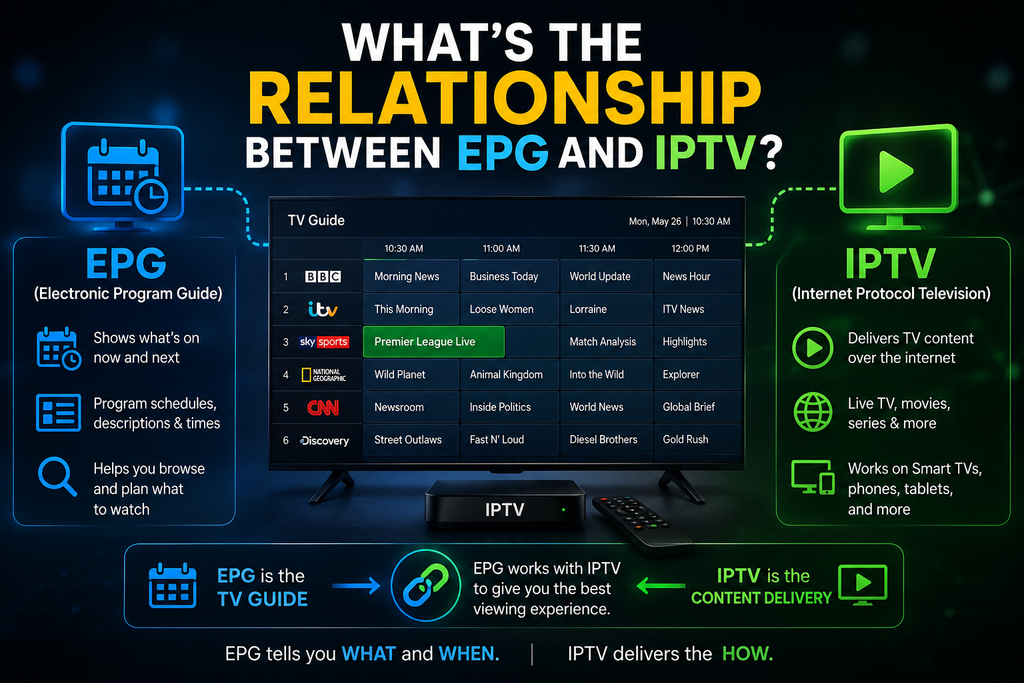
An EPG (Electronic Program Guide) is the digital TV guide used with IPTV to organize live channel schedules. It shows what is playing now, what comes next, and program details such as titles, times, genres, and descriptions.
The IPTV service provides the channel streams, while the EPG provides the schedule information. When both are connected correctly, an IPTV player can display the channels in a familiar TV guide layout.
Not every IPTV service includes EPG data, and available features depend on the IPTV provider and player. Some IPTV service providers may also offer catch-up, reminders, or recording alongside the guide.
How to Use an EPG in IPTV
Setting up an EPG is usually straightforward, although the exact steps vary between IPTV players.
- Open Your IPTV Player: Launch your IPTV app and look for EPG, TV Guide, or Program Guide.
- Get the EPG Source: If your provider supplies a separate EPG URL, copy it from your subscription details.
- Add the EPG Source: Open the player’s playlist or EPG settings and enter the provided URL if the app supports external EPG sources.
- Match the Channels: Some players automatically match EPG data with your channels. Others may require manual channel matching.
- Refresh the Guide: Update or reload the EPG data so the latest program schedules appear.
- Browse the TV Guide: Once synced, you can view current and upcoming programs by channel and time.
EPG Not Showing in IPTV? Fixing and Solutions
If your IPTV guide is empty or showing incorrect information, check these common causes:
| Problem | Possible cause |
| No EPG appears | Missing or invalid EPG source |
| Wrong program information | Channel mapping mismatch |
| Some channels have no guide | EPG data is unavailable for those channels |
| Program times are incorrect | Incorrect time-zone settings |
| Old listings appear | EPG data has not refreshed |
| Guide stops loading | IPTV player or EPG source issue |
You can usually troubleshoot the issue by checking the EPG source, channel IDs, playlist data, time zone, and refresh settings.
EPG vs Traditional TV Listings
An EPG (Electronic Program Guide) is a digital, interactive TV guide that displays current and upcoming programs on devices such as IPTV players, Smart TVs, set-top boxes, and streaming platforms.
Unlike a traditional TV listing, an EPG can update program information and provide interactive features.
| Feature | Traditional TV Guide | Electronic Program Guide (EPG) |
| Format | Printed listings or basic static schedules | Digital on-screen TV guide |
| Schedule Updates | Usually fixed and cannot be updated after publishing | Can be updated through electronic data feeds |
| Program Information | Mainly channel, date, and time | Titles, times, descriptions, genres, episodes, and other metadata |
| Navigation | Manual browsing | Browse channels and programs with a remote, mouse, or touchscreen |
| Search | Limited or unavailable | Some EPGs support program and channel search |
| Filtering | Usually unavailable | Some guides allow filtering by genre, category, or channel |
| Reminders | Not available | Supported by some TV services and devices |
| Recording | Cannot control recordings | Supported EPGs can connect with DVR or recording features |
| IPTV Support | Not designed for IPTV | Commonly used to organize IPTV channel schedules |
| Data Sources | Printed or manually published information | Provider feeds, XMLTV files, APIs, or other schedule data |
The Future of EPG Technology
The future of the digital program guide seems much brighter. It is evolving fast and becoming a more personalized entertainment hub for entertainment seekers. According to the Growth Market Report, the EPG Data Services market is expected to reach $2.97 billion by 2033.
The future of digital TV guide technology is heading toward hyper-personalization through AI and machine learning, voice and gesture control, seamless integration across devices, enhanced metadata (behind-the-scenes clips, actor bios, and trivia), Augmented Reality (AR), and more sponsorship opportunities for providers.
Shortly, EPG is going the way people want – more entertainment-friendly, more advanced, and more interactive.
Conclusion
An EPG (Electronic Program Guide) makes IPTV and digital TV easier to navigate by organizing channels, schedules, and program information in one place. Features such as search, program details, reminders, and catch-up support can make viewing more convenient, depending on the service and device.
For IPTV providers, accurate EPG data also helps present content in a clear, organized way. As TV viewing continues to move across smart TVs, streaming devices, and mobile apps, the EPG remains a practical tool for finding and planning what to watch.
FAQs
What is an EPG in IPTV?
An IPTV EPG is a digital TV guide that shows the schedule for IPTV channels. It can display program names, times, descriptions, and other details.
How does an EPG work?
An EPG uses program data to display TV schedules. An IPTV player reads this data and shows it as an on-screen guide.
What is EPG data?
EPG data contains information about TV programs, such as channel names, program titles, start times, end times, descriptions, and genres.
What is XMLTV EPG?
XMLTV is a format used to store and exchange TV program information. IPTV players can use XMLTV data to display an EPG.
Why is my IPTV EPG not working?
Common causes include incorrect EPG data, channel ID mismatches, outdated schedules, wrong time zones, or IPTV player issues.
What is the difference between EPG and an IPTV playlist?
An IPTV playlist provides channel stream information. An EPG provides program schedules. The playlist helps play the channel, while the EPG shows what is playing.
Is EPG data updated automatically?
It can be. Many IPTV systems automatically refresh EPG data, but the update frequency depends on the provider, data source, and IPTV player.
What is EPG time-shift (timeshift)?
Timeshift is a playback feature that lets you pause, rewind, or restart supported live TV. An EPG can provide the schedule information used to select programs, but timeshift is a separate playback function.
What does EPG mean on Firestick and streaming devices?
EPG on Firestick and streaming devices means Electronic Program Guide. It shows the current and upcoming programs for IPTV channels, including program names, times, and descriptions.
What format is EPG data in?
EPG data is commonly provided in XML-based formats, especially XMLTV. Some IPTV services and apps may also use JSON or other structured formats for program data.
How do I add an EPG to my streaming app?
Add the EPG URL provided by your IPTV service to the app’s EPG or TV Guide settings. Save it, refresh the guide, and make sure the channel IDs match the EPG data.
What does EPG mean on my television?
EPG means Electronic Program Guide. It is the on-screen TV guide that shows current and upcoming programs, channel names, times, and program details.
How do I fix my EPG on my Firestick?
To fix an EPG error on Firestick, refresh the EPG data in your IPTV or streaming app or clear the app’s cache. If the problem continues, check the EPG URL and channel mapping.
What is the EPG button on a remote?
The EPG button opens the Electronic Program Guide on your TV or set-top box. It lets you view current and upcoming programs, channel schedules, and program details.