Are you an IPTV enthusiast looking to purchase a highly sophisticated IPTV box for the best entertainment experience? Then, you’re in the right place! As modern entertainment enthusiasts increasingly choose online streaming and cord-cutting solutions, the use of IPTV streaming boxes is increasing.
IPTV boxes are a vital tool for accessing live TV channels, a video-on-demand (VOD) library, Pay-Per-View (PPV) events, and more.
Modern IPTV decoder boxes not only support Internet TV services but also allow sideloading third-party apps, giving you complete flexibility over your streaming setup. But with so many live TV streaming devices on the market, choosing the right one can be challenging. Price, storage capacity, performance, and overall compatibility all play a major role.
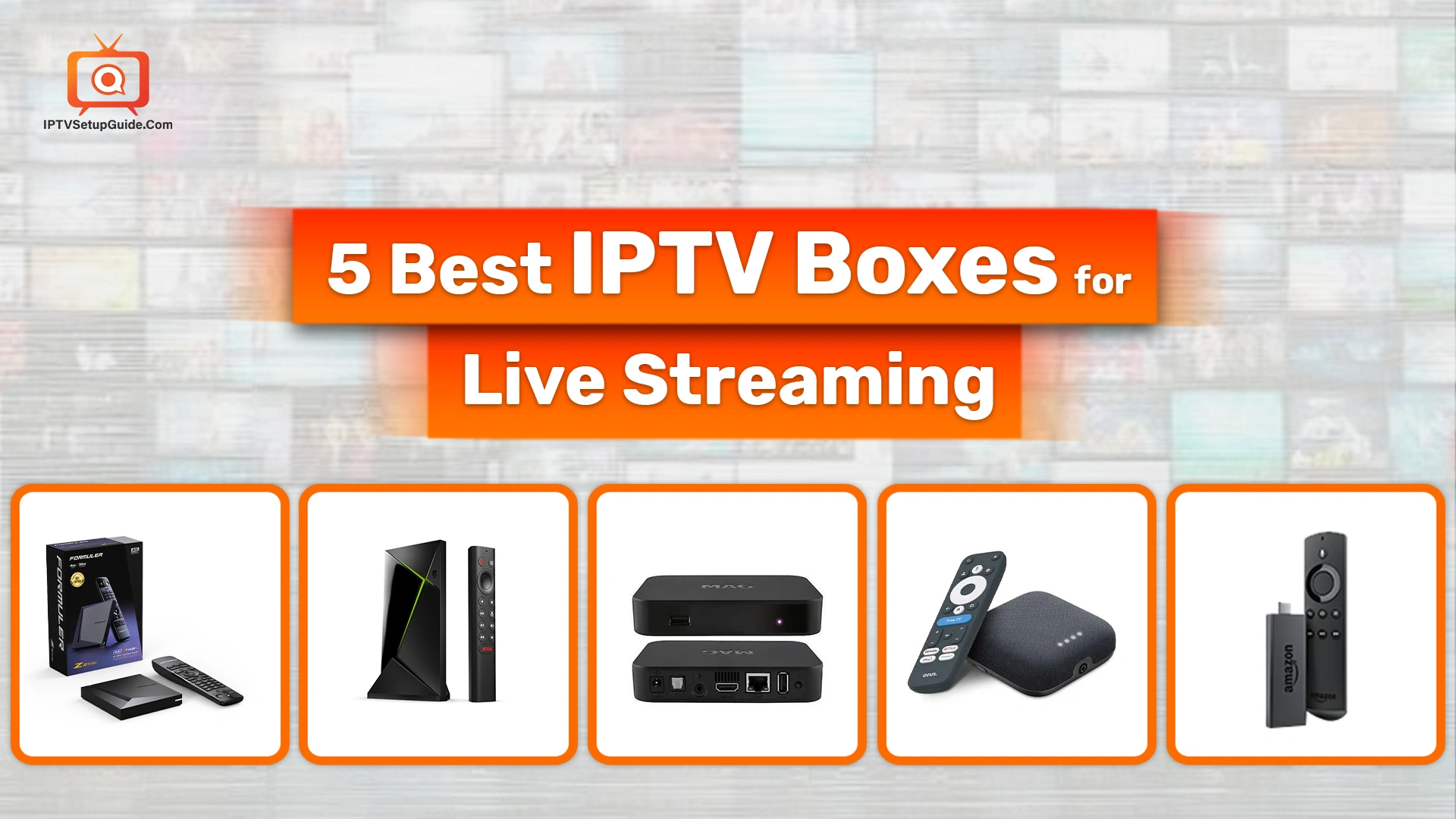
But, don’t worry about it; in this article, I’ll discuss the 5 best IPTV boxes for live streaming. Whether you want a budget-oriented one or a premium device – I’ll cover you. No more words. Let’s get into the article –
What is an IPTV Box?
An IPTV box is a device that streams TV over the internet rather than via cable or satellite. It converts online video signals into a format your TV can play, letting you watch live channels and on-demand content through your IPTV service.
Why Choose an IPTV Box for Live Streaming?
- Access to Multiple Channels: Stream hundreds or thousands of international and local channels.
- On-Demand Content: Watch movies, shows, and sports whenever you want.
- Cost-Effective: Typically less expensive than cable or satellite subscriptions.
- Ease of Use: Most offer user-friendly interfaces compatible with popular apps.
- Portability: Easily switch between TVs or take your streaming setup with you.
- Interactive Features: Pause, rewind, catch-up, EPG (Electronic Program Guide), etc.
- Superior Performance: Dedicated boxes feature a more powerful processor and RAM than built-in smart TV systems, resulting in faster, smoother app performance.
- High-quality Streaming: Supports HD, FHD, 4K, and even 8K streaming, providing a high-end visual experience to the users.
5 Best Live TV Streaming Boxes: In-depth Discussion
1. Formuler Z11 Pro Max

Formuler is one of the world’s top-notch IPTV set-top box manufacturers. This device delivers excellent IPTV performance with a built-in app designed for live TV streaming. It offers UHD and 4K streaming with sharp visuals. This digital receiver provides the state-of-the-art MyTVOnline3 app, which is vital for accessing favorites and the Electronic Program Guide (EPG).
Moreover, it also provides superfast navigation and a highly sophisticated interface. If you want a feature-packed, premium Internet TV experience with eye-catching visuals and powerful performance – consider Formuler Z11 Pro Max seriously.
Key Features
- MyTVOnline 3 IPTV App for powerful features and effortless navigation.
- Seamless user interface and launcher.
- Ethernet & Wi-Fi connection.
- 4K and UHD resolution.
- 32 GB of space and external drives for more apps, media, and recordings.
- Dolby Atmos & DTS-HD support for immersive sound.
Price: $189.99
Extra Things You’ll Receive
- Formuler Z11 Pro Max
- IR Remote Control
- High-Speed HDMI Cable
- Power Adapter
- User Manual
Why Does it Stand Out?
This version is much better and more advanced than the previous standard Z11 Pro. More RAM, more storage, Wi-Fi 6, superb sound and visuals – it just amazed me! Moreover, as a vivid gamer, I also love it as gaming is much more fun on this Internet TV Box.
2. Nvidia Shield TV Pro (2025 Edition)

The Nvidia Shield TV Pro is one of the high-end STPs available on the market, which contains an ultra-sophisticated built-in Tegra X1+ processor. This powerful processor helps deliver smooth, swift performance. The Dolby Vision/Atmos, AI-enhanced 4K upscaling – everything makes it a top choice for streaming enthusiasts. Besides, its GeForce NOW cloud gaming technology makes it a heaven for power users and gamers.
Key Features
- 4K HDR playback at 60FPS
- 256-core GPU
- Built-in Voice Control
- 4K HDR cloud gaming service
- High-resolution audio playback
- Compatible with VPN service
Price: $199.99
Extra Things You’ll Receive
- NVIDIA Shield TV Pro device.
- Power Adapter.
- NVIDIA Voice Remote
Why Does it Stand Out?
Thanks to its superfast performance, AI-enhanced picture quality, smooth gaming, and works as a Plex server, gaming console, and Chromecast device – it has earned superb recognition among IPTV enthusiasts.
3. Infomir MAG322 W1

The Infomir MAG322 W1 is a powerful Linux-based IPTV/OTT set-top box with built-in Wi-Fi (802.11n) and a BCM75839 chipset, delivering high-quality video with HEVC support to reduce network load and smoothly decode internet-delivered content for smart TVs and other platforms. This OTT (Over-the-Top) box also delivers the highest-quality sound and image due to HDMI 1.4b technology.
Key Features
- Supports FHD and different audio/video formats.
- The Broadcom BCM75839 chipset is designed to be compatible with IPTV middleware platforms to launch and handle IPTV/OTT projects.
- Plays media from USB drives and supports various subtitle formats.
- Comes with built-in Wi-Fi.
- Supports various content sources
- Regular Firmware Updates for Performance & Features
Price: $130 – $150
Extra Things You’ll Receive
- Remote Control
- HDMI Cable
- Power Adapter
- Mini-jack Cable to RCA (A/V)
- Batteries
Why Does it Stand Out?
The Infomir MAG322 W1 stands out for its smooth performance, built-in Wi-Fi, and efficient HEVC support, giving users more stable, high-quality streaming even on weaker connections.
4. Onn. 4K Pro

Are you looking for an economical option to satisfy your entertainment hunger? If yes, then Onn. 4K Pro could be a great option. The design is eye-popping, while its 4K Ultra UHD and Dolby Vision will deliver an immersive IPTV experience. It is equipped with 3GB RAM and 32 GB ROM and provides powerful performance. Moreover, its gaming performance is also good. Yes, it can’t replace a dedicated gaming console, but it can still deliver high-quality performance. You can find it in your nearby Walmart store.
Key Features
- Quad-core Cortex A55
- Full Google TV interface
- Hands-Free Google Assistant
- Built-in Speaker
- Backlit remote with app buttons
- Ethernet & Wi-Fi
Price: $49.88
Extra Things You’ll Receive
- Power Adapter
- HDMI Cable
- Remote Control (with batteries)
Why Does it Stand Out?
It effectively delivers “premium Google TV box” capabilities (3 GB RAM, 32 GB storage, Ethernet, USB 3.0, Dolby Vision/Atmos, Wi‑Fi 6) at roughly the same price as many basic 4K streamers.
5. Amazon Fire TV Stick 4K

Amazon’s Fire TV Stick 4K is one of the most popular streaming devices thanks to its affordability and excellent performance. With strong 4K support, great Wi-Fi connectivity, and Alexa voice controls, it’s a fan favorite for IPTV setups. With advanced 4K streaming and Wi-Fi 6 support, it has gained widespread recognition among online TV enthusiasts.
Key Features
- Bluetooth headphone support
- Wi‑Fi 6 for more stable, high‑bitrate 4K streaming on compatible routers.
- Bluetooth 5.2 for accessories.
- Vibrant 4K Ultra HD with support for Dolby Vision.
- Fast speed and low latency.
- Ethernet connectivity via an adapter.
Price: $40 USD
Extra Things You’ll Receive
- Alexa Voice Remote (with app/voice buttons)
- USB cable & Power Adapter
- HDMI Extender Cable
- 2 AAA Batteries
Why Does it Stand Out?
It’s the perfect plug-and-play device for anyone looking to upgrade their TV into a full streaming hub without spending much.
How to Choose the Right IPTV Box for You
- Consider your budget: High-end boxes offer superior quality and features, but at a higher cost.
- Check app compatibility: Make sure your favorite IPTV apps work with the device.
- Look for future-proof features: Support for 4K, HDR, and Wi-Fi 6 ensures long-term usability.
- Evaluate ease of use: Devices with voice control and intuitive interfaces can enhance your experience.
- Support and updates: Regular software updates help maintain security and add features.
Setting Up Your IPTV Box for Live Streaming
- Connect the Box – First, connect your IPTV box to your TV via HDMI(High-Definition Multimedia Interface).
- Connect the Internet – Connect the box to the internet via Wi-Fi, Ethernet, or Starlink.
- Accessing App Store – Access the app store or the IPTV services pre-installed.
- Installing IPTV Apps – Download and install IPTV apps or input your IPTV subscription details.
- Customizing Channel List – Configure your channel list and enjoy live streaming.
Choosing the Internet Protocol TV Service Providers
Now, after setting the IP boxes, it’s time to choose a reliable IPTV service provider. However, there are so many Online TV subscriptions available on the market and it’s challenging to determine the right one. If you want to know about the top-notch Internet TV services, you can check this article of ours – 11 Best IPTV Service Providers: Top IPTV Subscriptions (2026).
Nevertheless, you need to determine what type of content you like most. If you love adult content, then you should go after the IPTV providers that offer the best adult content. If you love more channels, choose accordingly. Moreover, you need to ensure that they’re compatible with the IP box you possess. Plus, pricing, flexibility, and intuitive features – these factors will also come into play.
What is the Difference between an IPTV box and an Android box?
Yes, both IPTV boxes and Android boxes stream live and pre-recorded content online. However, there are still some significant differences between them. With an Android box, you’ll feel the vibe like a Smart TV with Android OS. You can easily access popular OTT streaming services like Netflix, Amazon Prime, HBO Max, Paramount+, etc.
Anyway, let’s check 5 major differences between an IPTV box and an Android box.
| Feature | IPTV box | Android box |
| Main Purpose | Designed mainly for IPTV streaming (live TV channels via the internet). | General-purpose media device for apps, streaming, gaming, and browsing. |
| Operating System | Uses a proprietary or limited OS focused on IPTV services. | Runs a full Android OS with access to Google Play Store (in most cases). |
| User Control & Customization | Minimal customization; interface controlled by IPTV service. | Highly customizable: install apps, change launchers, add storage, etc. |
| Versatility | Mainly only streams IPTV channels. | Can stream video-on-demand, install apps, mirror screens, and play games |
| Hardware Power | Usually lower specs because its job is simple. | Often, higher specs (CPU, RAM, storage) are required for multitasking. |
Future of IPTV Hardware
As viewers ditch traditional cable in favor of smoother, smarter cord-cutting options, IPTV has become the new king of home entertainment. With this increase in popularity, the demand for IPTV-powered devices has reached a new level. In fact, Finance Yahoo reports that IPTV hardware usage jumped an impressive 19.80% in 2026.

And with 6G connectivity rolling out and Starlink steadily taking over the global internet landscape, one thing is clear: STB use will continue to grow.
Final Thoughts – Top IPTV Streaming Boxes
Choosing the right streaming device is essential to bringing the world of entertainment into your living room. The models listed above are the most trusted and user-friendly options to enjoy seamless live TV streaming in December 2026. Choose the right one as per your streaming preferences, tech requirements, and budget.
FAQs on How to Choose the Best IPTV Box
-
What is the best device to stream IPTV?
The best devices for IPTV are Android TV boxes, Fire TV Stick, Nvidia Shield TV, and dedicated IPTV set-top boxes, as they offer strong performance, app support, and stable streaming.
-
Are IPTV boxes any good?
Yes. IPTV boxes are good for smooth, buffer-free streaming, easy navigation, and better compatibility with IPTV apps and playlists compared to regular smart TVs.
-
What is the best streaming box to buy?
Top choices include the Nvidia Shield TV, Amazon Fire TV Stick 4K Max, and high-end Android TV boxes. These devices offer powerful processors, good WiFi, and broad app support.
-
Is using an IPTV box legal?
Yes, the box itself is legal. Legality depends on the IPTV service you use. Licensed IPTV services are legal; unlicensed streams are not.
-
What devices are supported by IPTV?
IPTV works on Android TV boxes, smartphones, tablets, Firestick, Smart TVs, PCs, Macs, IPTV set-top boxes, and some gaming consoles.
-
Can I get IPTV without a box?
Yes. You can use IPTV on smart TVs, phones, tablets, computers, or streaming sticks, no box required unless your TV lacks app support.
-
Is IPTV better than streaming services?
IPTV can be better for live TV, sports, and international channels, but traditional streaming services are better for on-demand movies, binge-worthy TV shows, and legal reliability.
-
Why do you need a box for IPTV?
You need a box only if your TV or device doesn’t support IPTV apps, or if you want faster performance, better WiFi, and smoother playback than a built-in smart TV can offer.